


Solar Flair
[maghub_sidebar]
Article of title
Logo
Article of title
Logo
Solar systems for RVs can range from single-panel affairs to high-powered custom installations. This 850-watt system is more involved than most, but the installation ‘best practices’ remain the same.
By Chris Hemer / Photos by the author
D

on’t blink — you just might miss it.

At a curve along Marcola Road in Springfield, Oregon, Google Maps may say that you’ve arrived at AM Solar — but as your head swivels in anticipation of a storefront, a sign, a shed, something , you’ve already passed it. One of the country’s leading authorities on RV solar systems is marked only by a driveway that leads back to an unassuming building on about an acre of land, bordered by a slough on one side and a metal fabrication company on the other. Heck, there’s not even a sign on the building.

“I had trouble finding you!” I exclaimed as I finally walked through the front door and met AM Solar President Garret Towne. “Oh yeah…” he chuckled, offering no further explanation. “Let me show you around.”

I quickly surmised that this is the way Towne and the rest of the team like it, in much the way proprietors of the world’s gourmet destination restaurants don’t flaunt their services to just anyone. You have to hear about it — seek it out — and hopefully get a reservation. You don’t just drop in and hope to get a seat at the table. And like a gourmet restaurant, AM Solar is booked out several months, depending on the kind of work you’d like to get done — and its two indoor bays are reserved for jobs costing $15,000 or more. “Ten years ago, we had to take pretty much anything that came through the door,” said Towne. “Now, people are so much better educated on RV solar that they know what they want and have realistic expectations of cost.”

Indeed, while the last two years have been brutal on the general population, they have been very kind to RV manufacturers and the solar industry. People who had never considered RVing before soon discovered that it would be a great way to escape the doldrums of inner-city quarantines, facemasks and social distancing and travel as a family — while still being safe. RVs began flying off dealer lots at an unprecedented rate and, as of this writing, still are. But as these fledgling RVers entered the fray, they soon discovered that campgrounds and RV parks with full hookups had been booked solid months ago. Now what?

Graph
AM Solar provides installation diagrams for all DIY customers, and for installations if the customer requests it. Shown is an installation diagram for the trailer in this article.
Solar became the obvious solution. It’s clean. It’s silent. It can be fitted to anything from a tent trailer or van to a Class A diesel pusher. Perhaps more importantly, it returns the freedom and spontaneity to RVing. No longer must campers make hookups a priority — suddenly, national forests, BLM land, even a turnout alongside a river can be your campsite. Couple this with recent advances in battery- and solar-panel technology that have broadened application flexibility and it’s now possible to power up your 120-volt AC appliances without the weight, maintenance or mess of traditional lead acid batteries.

These benefits are not lost on RVers, new or old. For as busy as AM Solar is with installations of all types, Towne told us that these account for only about 35% of its business — the rest is in components, kits and tools for a DIY solar market that is exploding like never before. With that in mind, we thought it would be a great idea to stop by AM Solar and see how the experts execute a contemporary solar system on a travel trailer. Granted, this job may not be typical in its scope — or cost (around $18,000) — but all of the installation best practices are the same, regardless of package size.

Typically, AM Solar assigns a team to install a solar system such as this one, and many of the steps take place in different areas of the RV all at once. To avoid a lot of jumping back and forth, we’ve broken this installation down into the main areas of any solar system: Cable routing, batteries and inverters, power center modifications and solar panels.
Solar Flair — Cable Routing
Kit
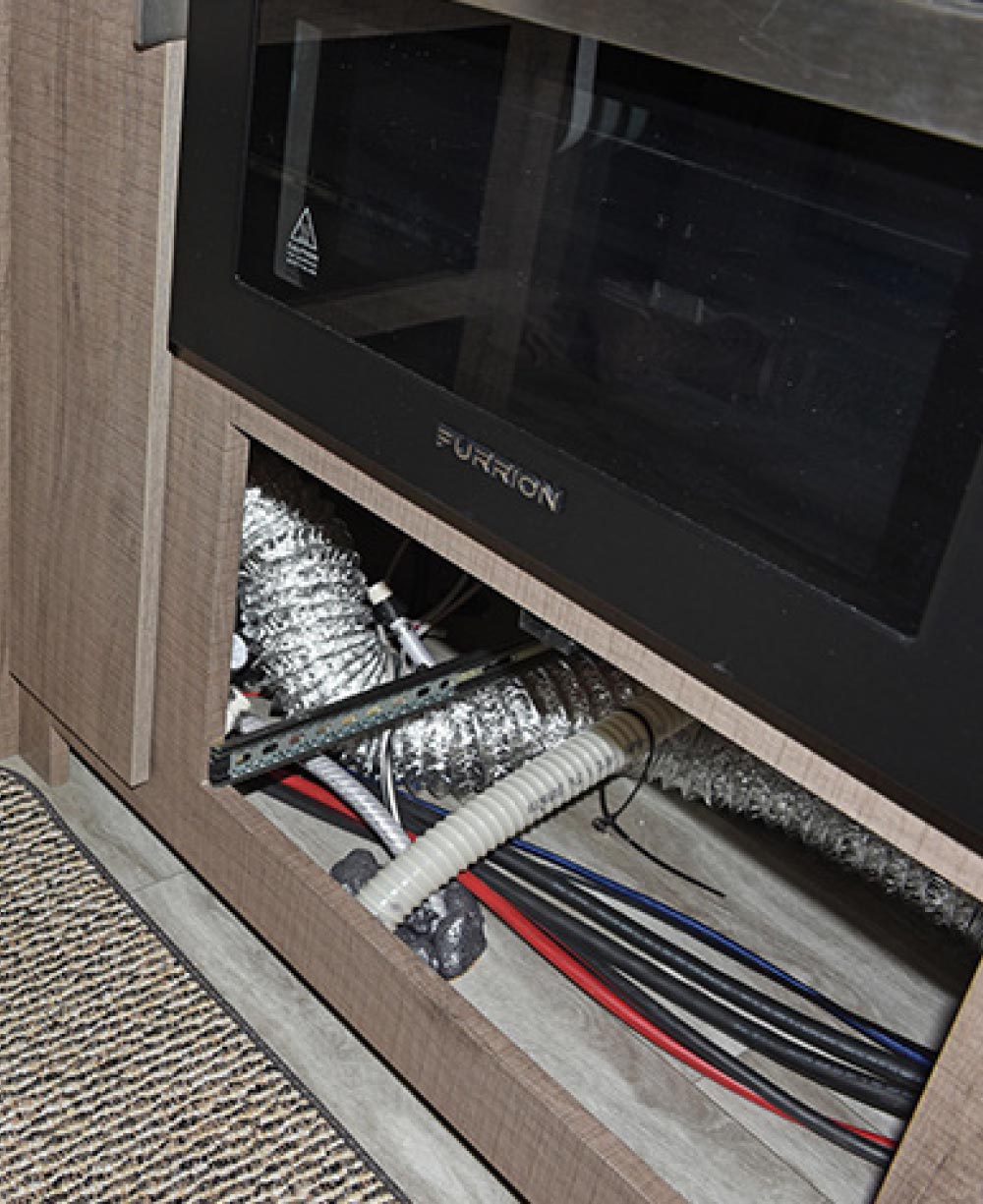
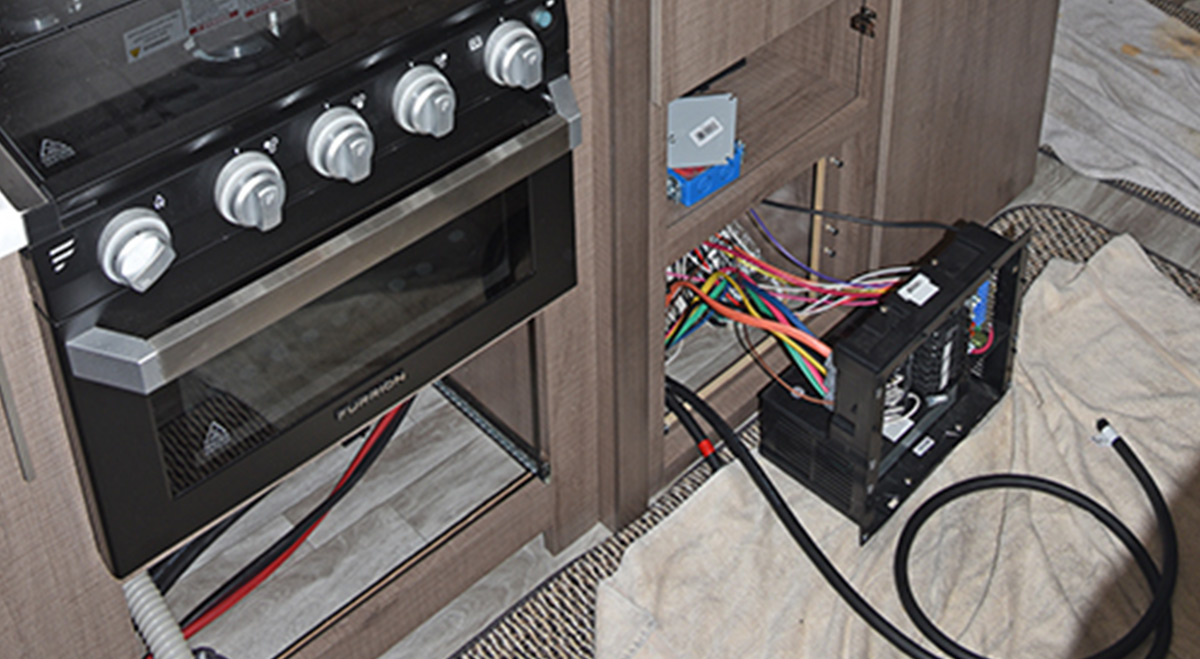
The first step is to find a suitable spot for the cables to pass from the roof and down into the area where the batteries, inverter and other equipment will be located, which in this case was in the storage space underneath the bed in the forward bedroom. Here, the cables were routed down between the microwave and the refrigerator, underneath the stove/oven.
Cables
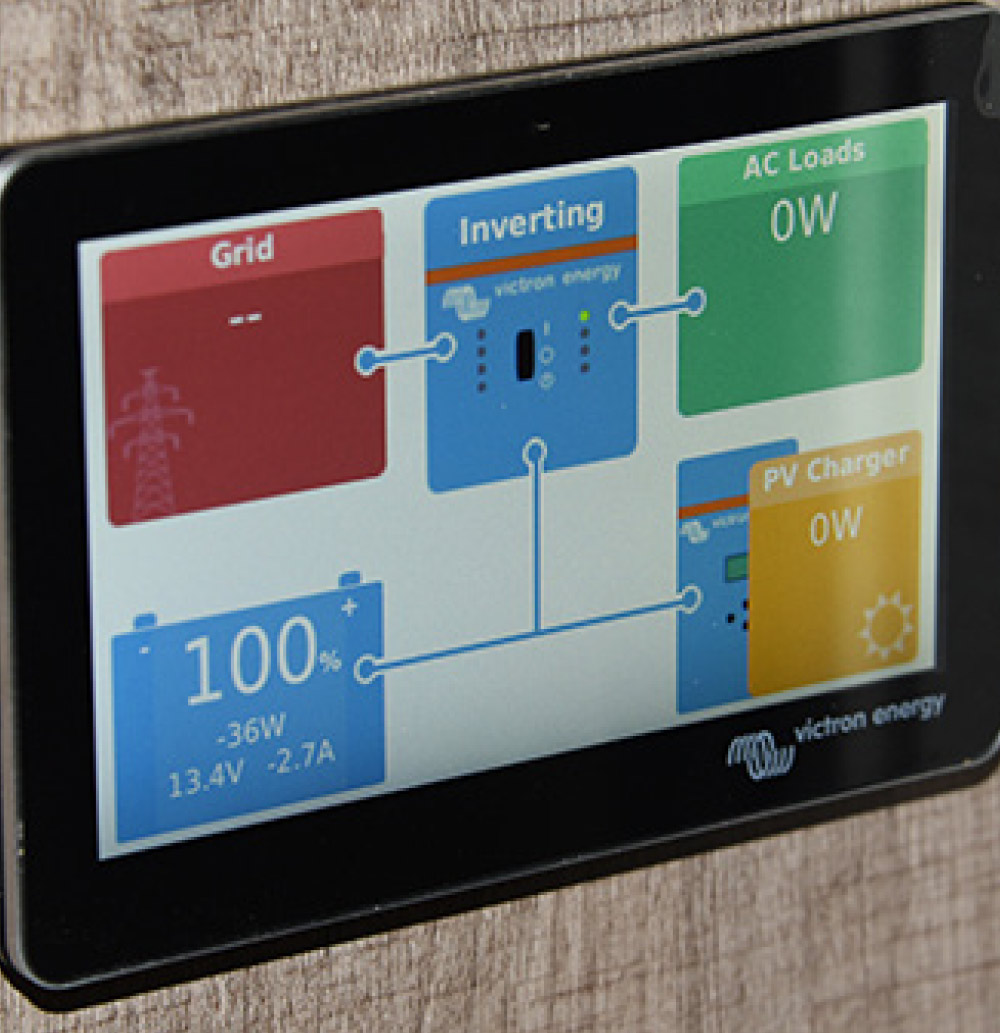
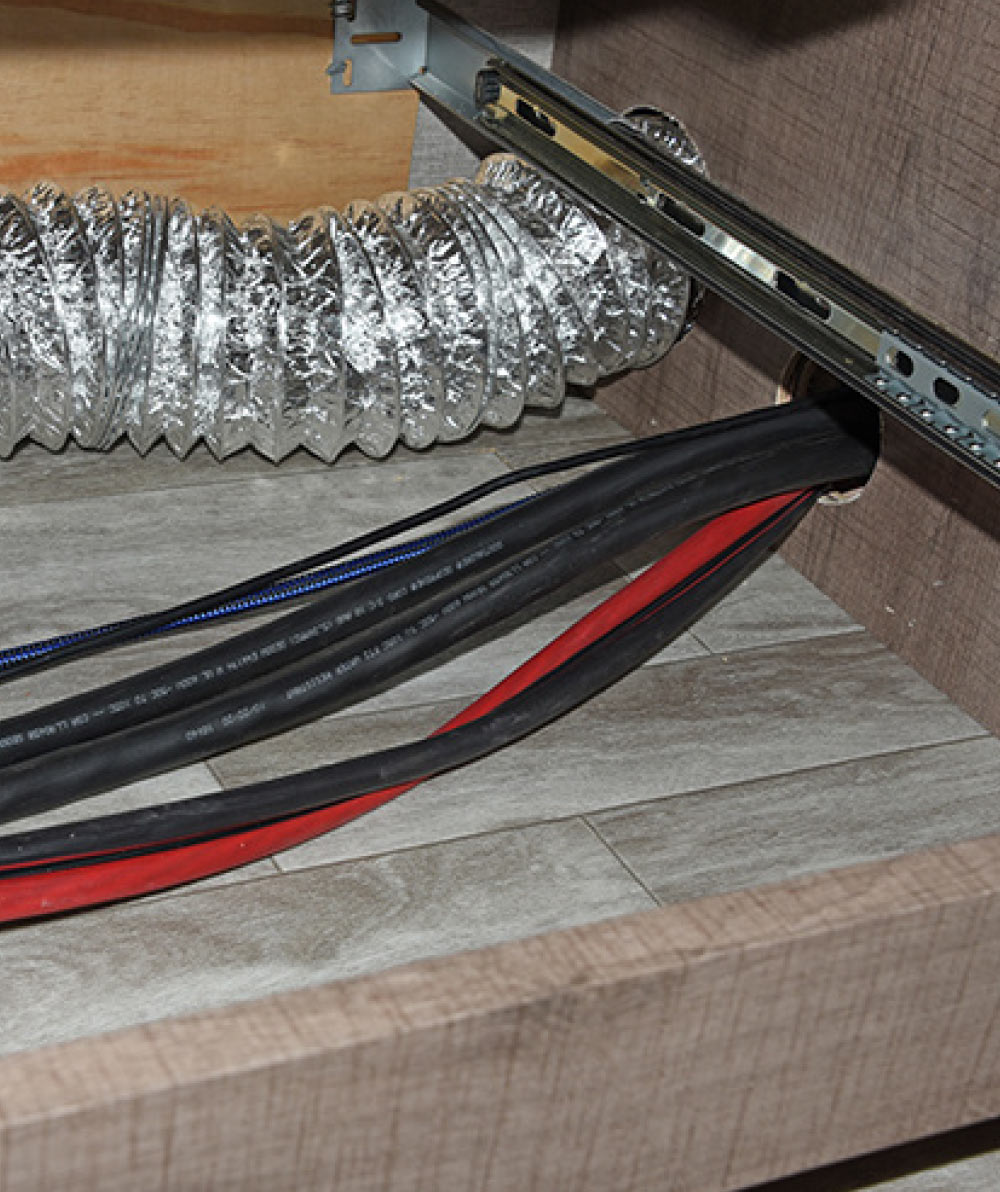
Here is a closer look at how the cables were routed. A hole saw was used in the space underneath the stove/oven, between it and the adjacent refrigerator cabinet; the cables were then passed through. The red/black cables are for DC current and will go to the combiner box on the roof to a disconnect switch and charge controller. The small blue/black cables are routed between the Victron Cerbo GX communication center and GX Touch 50 panel, which will be mounted near the entryway.
PowerAssist
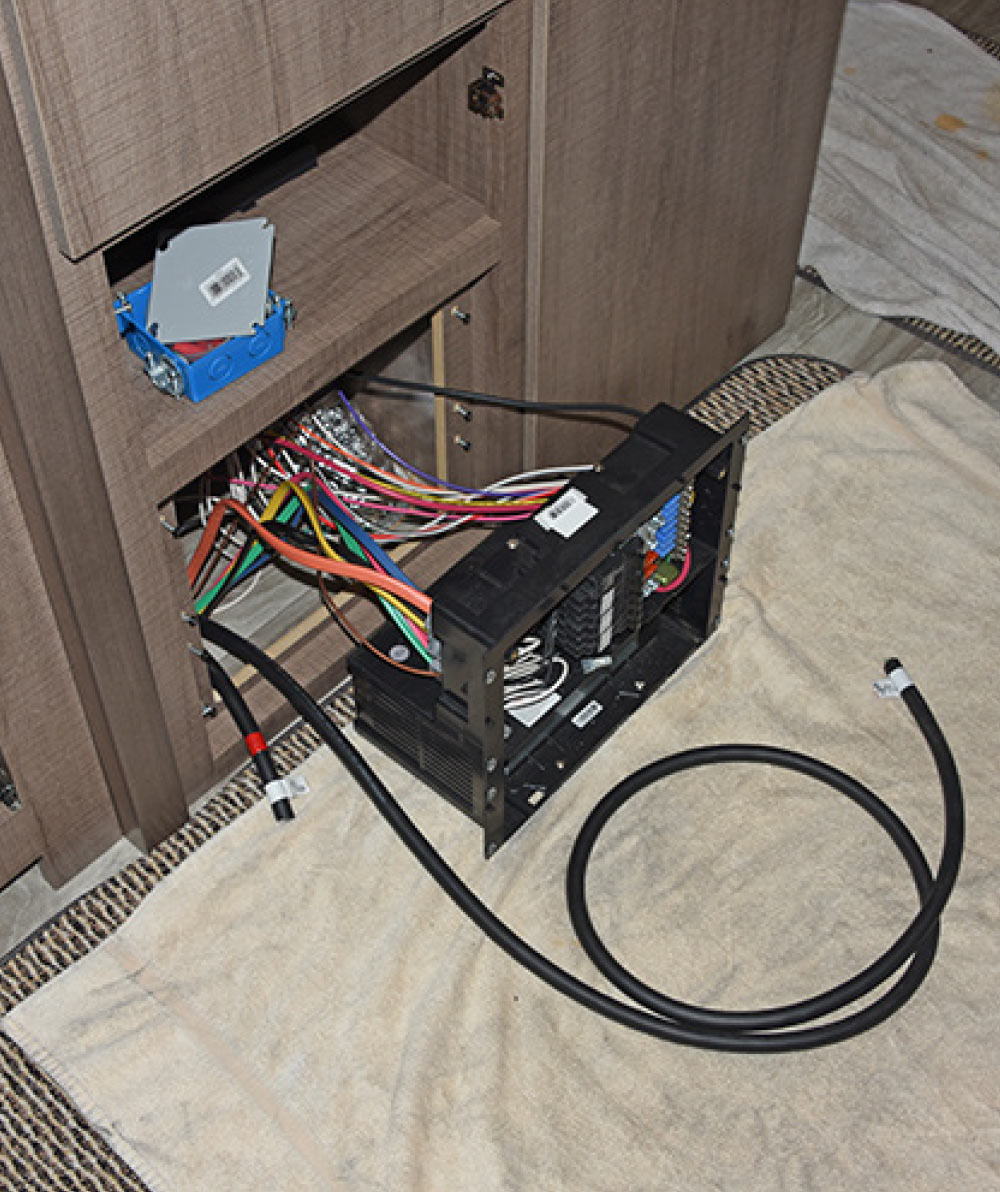
Two more AC cables, which will be for inverter input/output, are routed to the back of the power center underneath the refrigerator. The Victron MultiPlus inverter/charger PowerAssist feature allows the MultiPlus to supplement the capacity of an alternative source. In instances where peak power is often required only for a limited period, the MultiPlus will make sure that insufficient shore or generator power is immediately compensated for by power from the battery. When the load reduces, the spare power is used to recharge the battery. The flat orange wire is AC power to the converter and will be removed in a later step.
The cables
Flooring
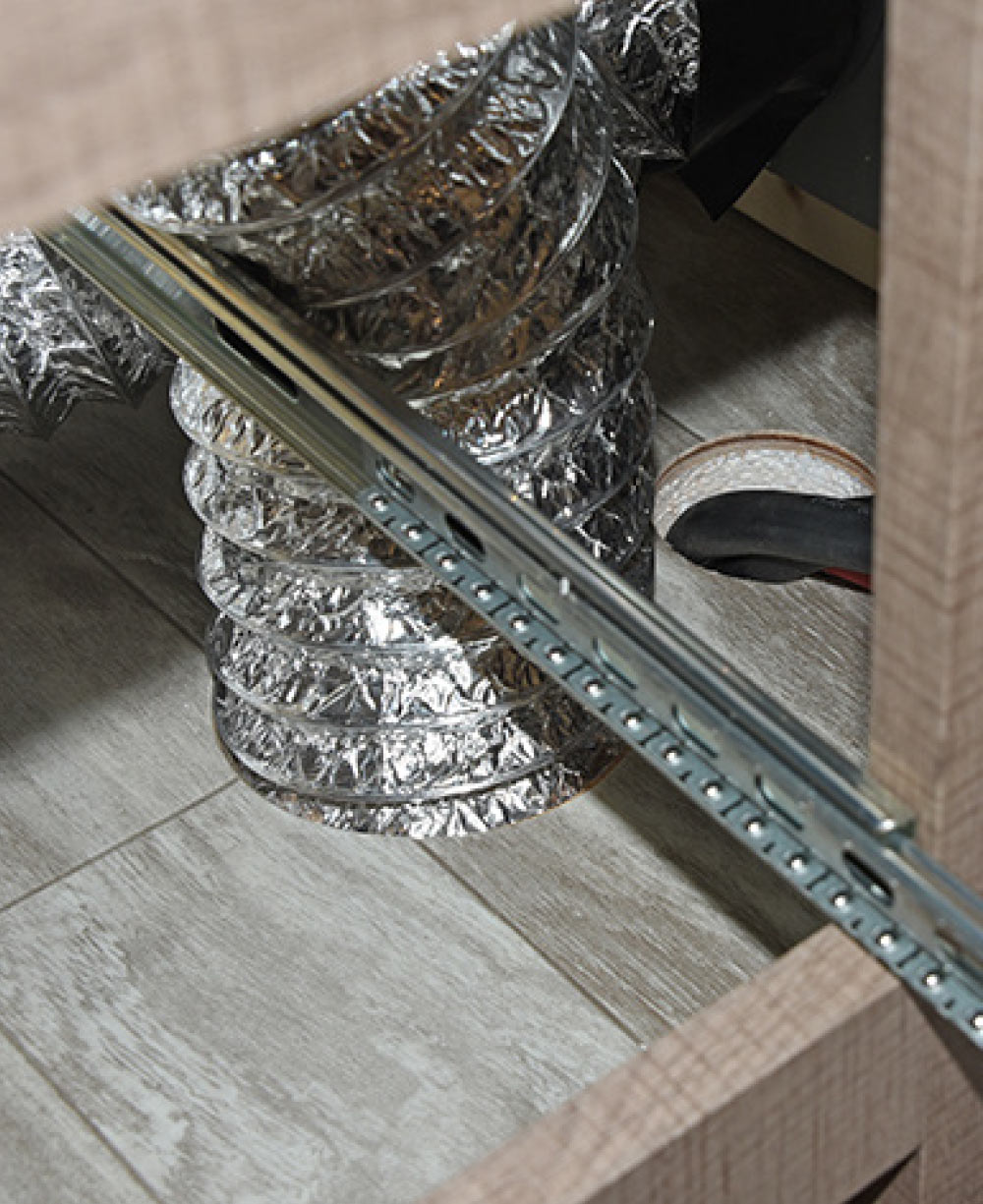
The cables continue forward through a partition underneath the fireplace, then down through the floor to the right of the drawer space (hole in floor next to ducting).
nylon cable ties
On the roof, the cables are held in place with nylon cable ties so that they don’t fall down while the cable is being routed.
cables
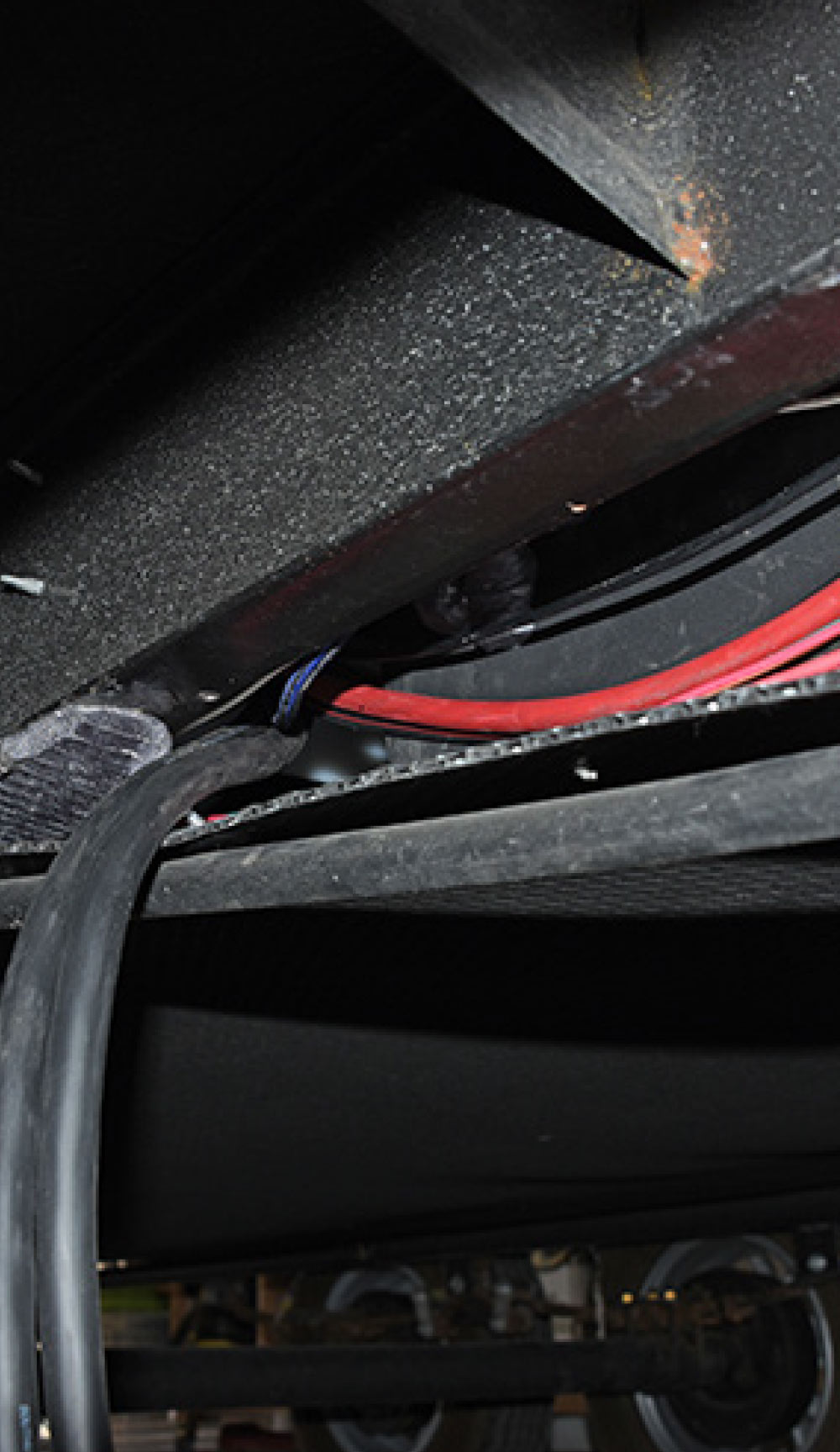
The belly pan was loosened and taken down so that the cables could be routed underneath the trailer along the frame, then punched up through the floor underneath the bed.
Rules of Thumb
Every RV is different, as are the solar system and the needs of its user, but AM Solar does have a few rules of thumb relative to what equipment you’ll need to achieve the desired result:

  • If you want to run an air-conditioner, you will get about one hour of runtime on a 15,000-Btu A/C running on “high” per every 200Ah of lithium battery capacity. You will also need at least a 3000VA Inverter and an EasyStart Kit.
  • Roughly every 100 watts of solar will produce about 25Ah (or 300Wh) of charge per day.
  • A minimum of 500 watts is recommended for any system with a residential refrigerator.
  • With lithium batteries, there is no “solar panel to battery” ratio. This only applies to lead-acid batteries, because it is necessary to top these off at least once a week; lithium batteries do not need to be topped off. If using lead-acid batteries, the ratio is 1 watt solar for every 0.5-2Ah of battery.

Solar Flair — Batteries & Inverter Installation

Five Battle Born BB10012
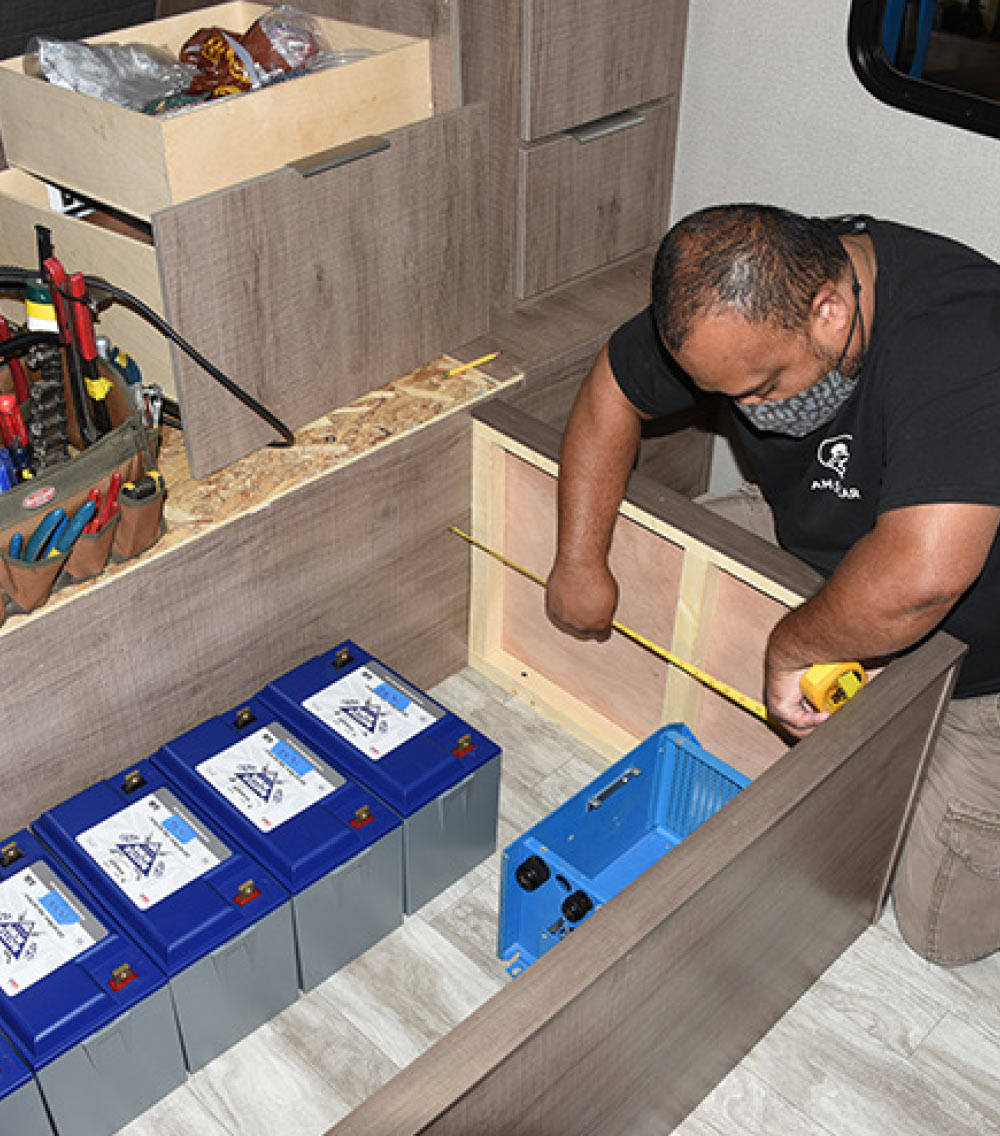
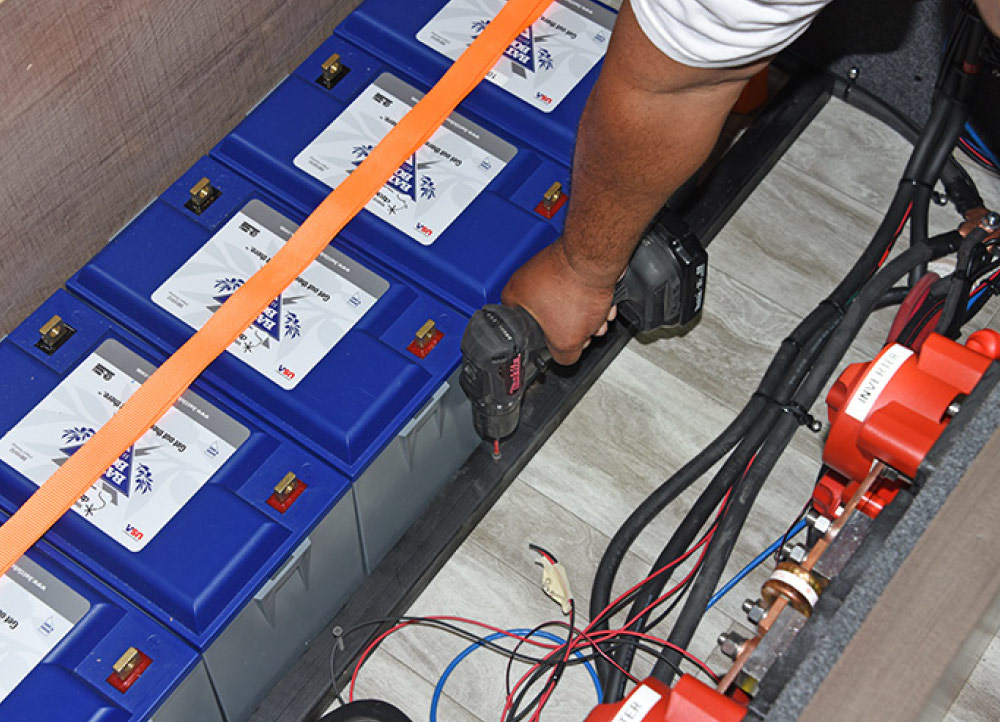
Five Battle Born BB10012 100 amp-hour LiFePO4 (lithium iron phosphate) batteries were specified for this job according to the needs of the customer. AM Solar technicians test each battery for resting voltage before installation. These were within 1/100 of a volt of each other; four came in at 13.32 volts, one at 13.33.
underneath the bed
Installer Alvin O’Daol begins mapping out how the components will be mounted underneath the bed. The decision was made to move the batteries to the left, which would give the owner the option of adding a sixth battery later, if desired. The space is then measured so that wood panels can be fabricated to fit the inner walls; these will provide adequate real estate to mount the other components to come.
Cooling considerations
Large hole saw
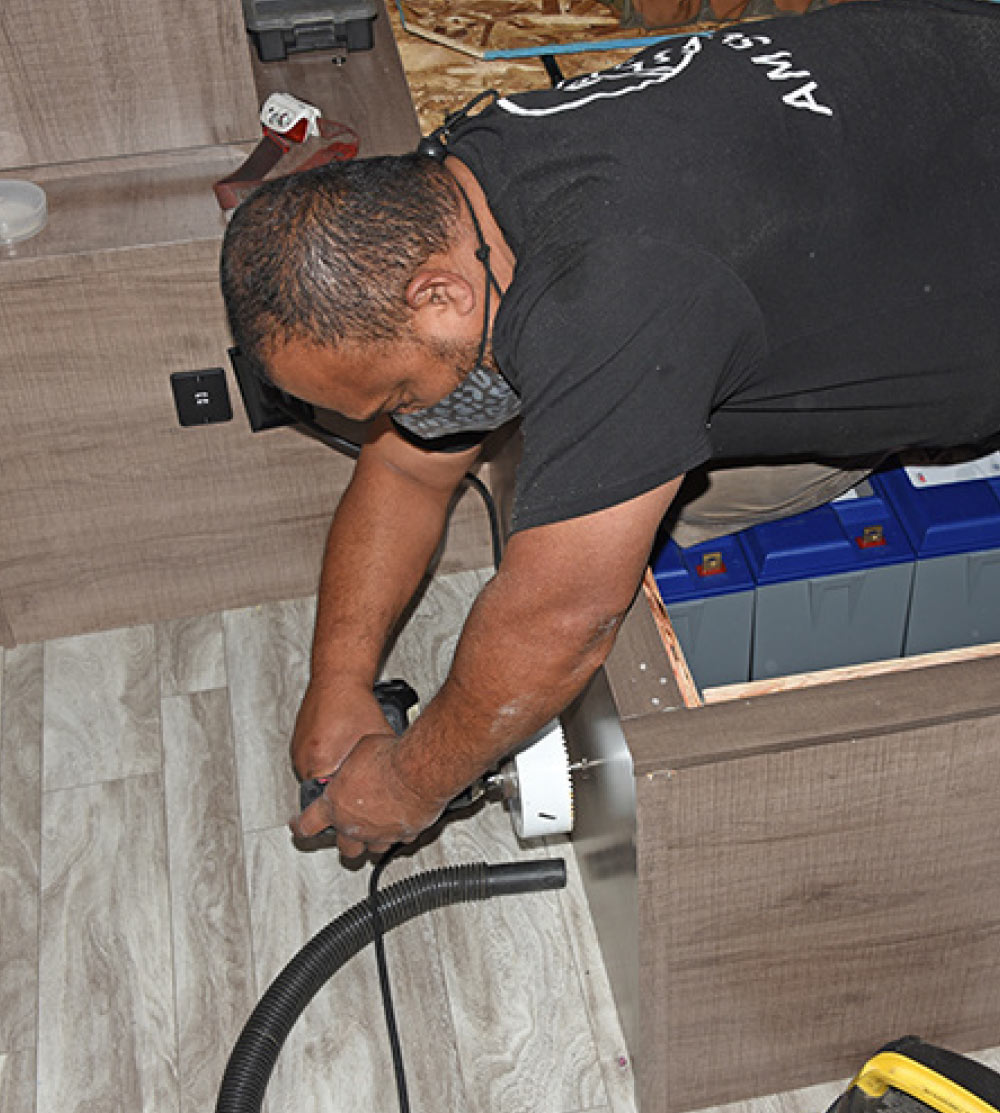
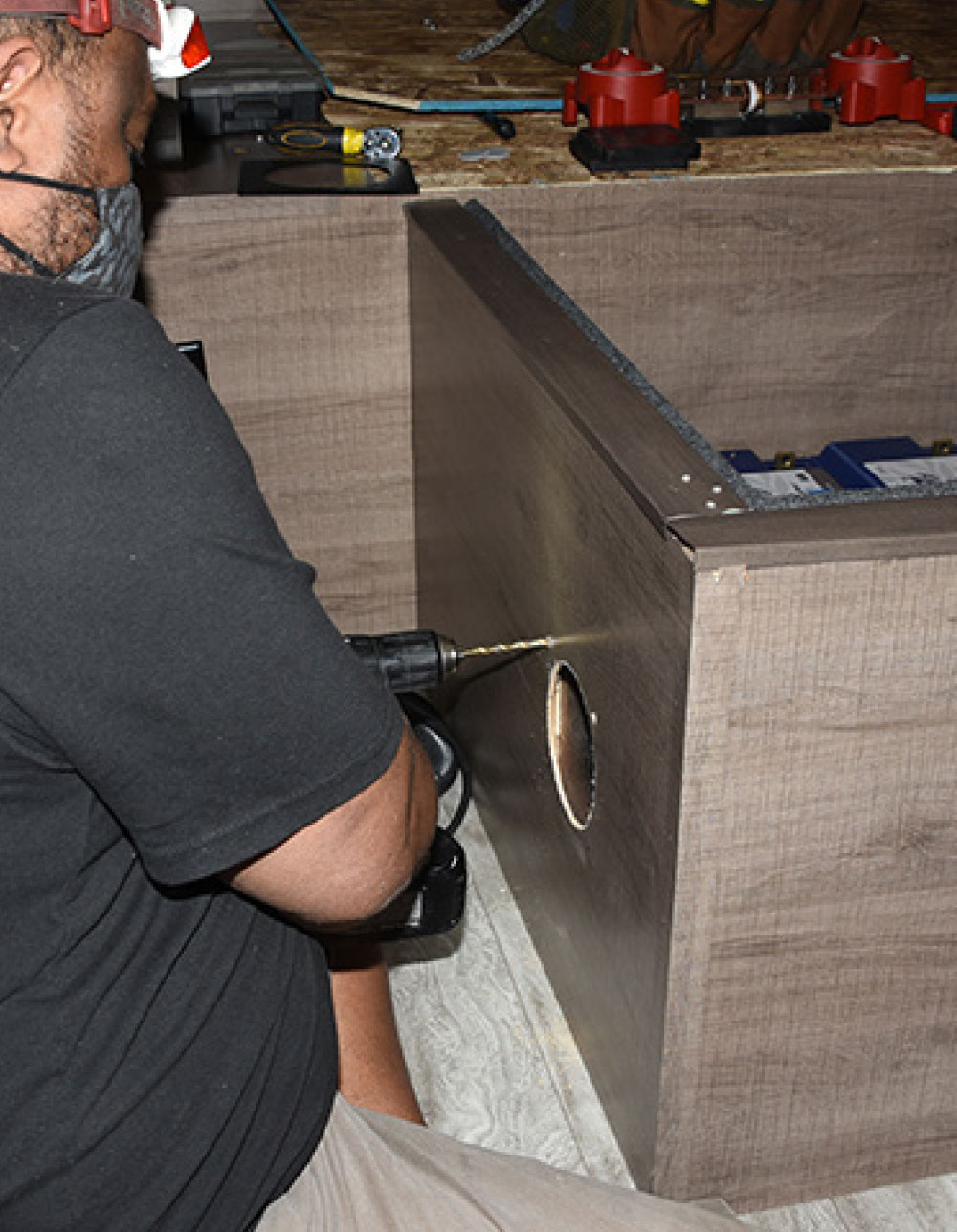
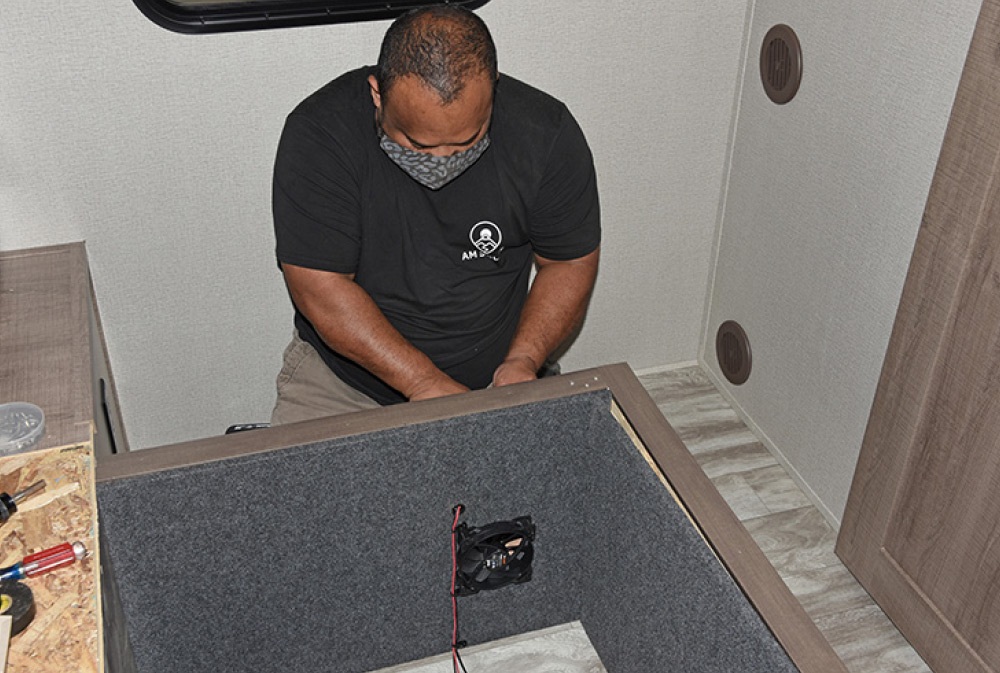
Next come cooling considerations. Since the system will be located under the bed in an enclosed space, a vent will be installed on the left side of the bed platform while another vent and fan will be installed on the other side of the platform in line with the inverter fan. This way, air will be drawn in from the left side, flow across the components, and then be exhausted on the right side. A large hole saw is used to cut the openings and a vacuum hose is placed underneath the work area to pull as much dust/chips away as possible.
The inner panels
Flat black to reduce the visibility of light wood through the vent hole
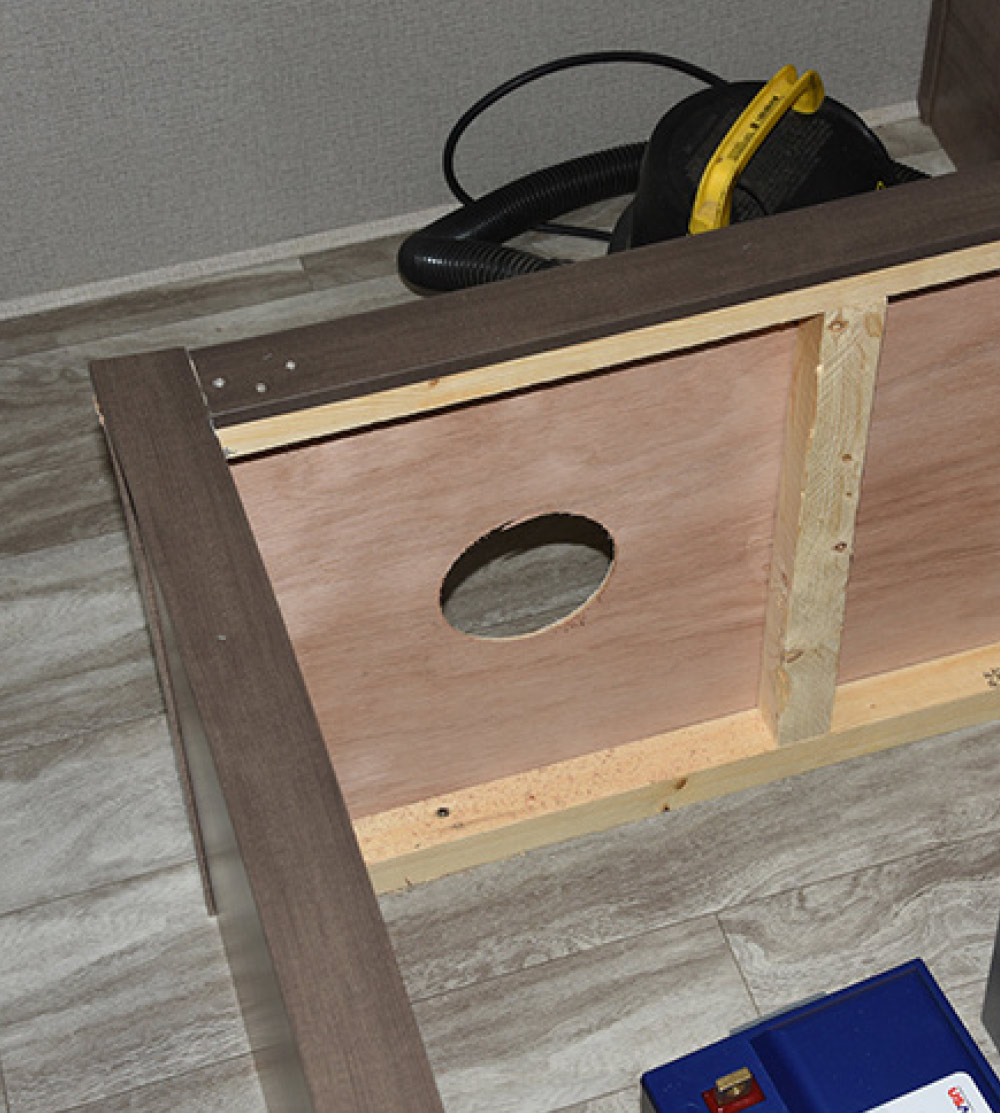
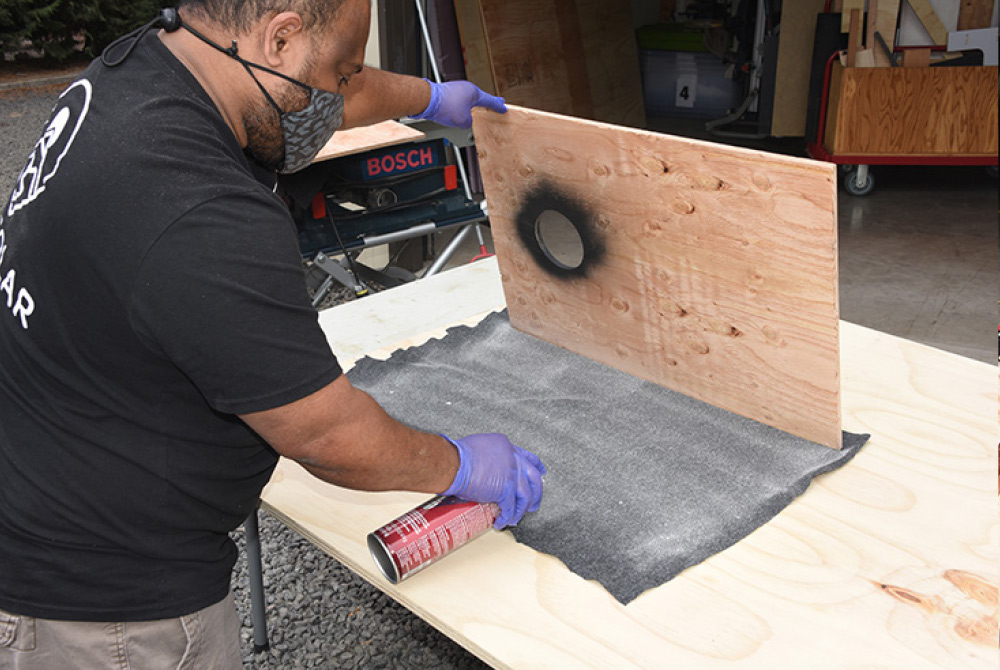
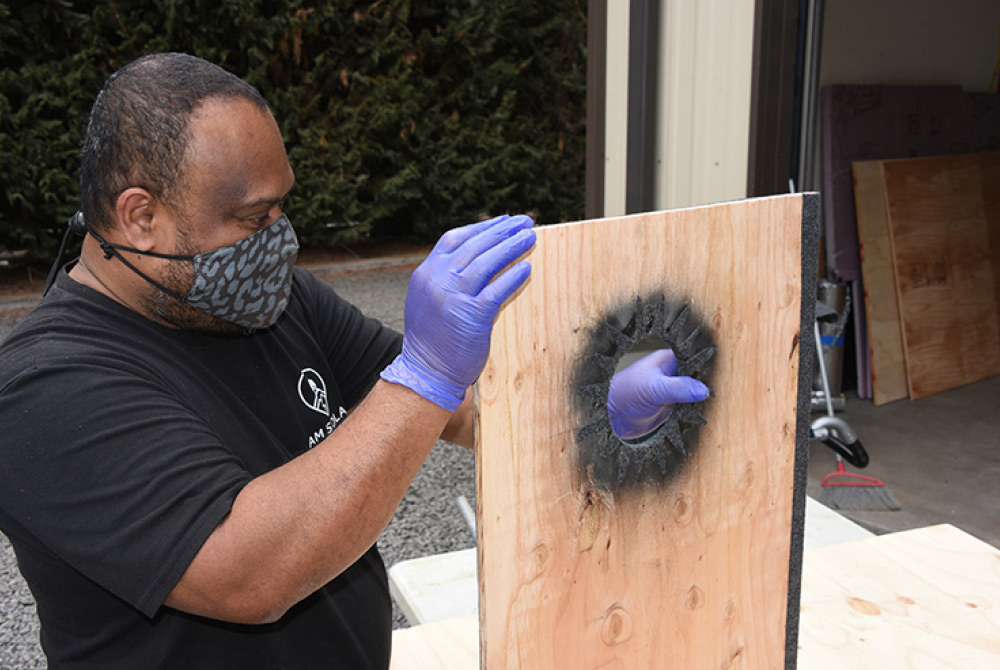
The inner panels that were fabricated previously are removed, and corresponding vent holes cut into them. The area around each hole is spray painted flat black to reduce the visibility of light wood through the vent hole. Then each panel is laid on thin automotive/marine carpet (what audio professionals commonly use to upholster subwoofer enclosures, etc.) and cut to fit. Spray adhesive is used on the back of the carpet before applying to the panel.
To neatly trim the carpet
bed platform
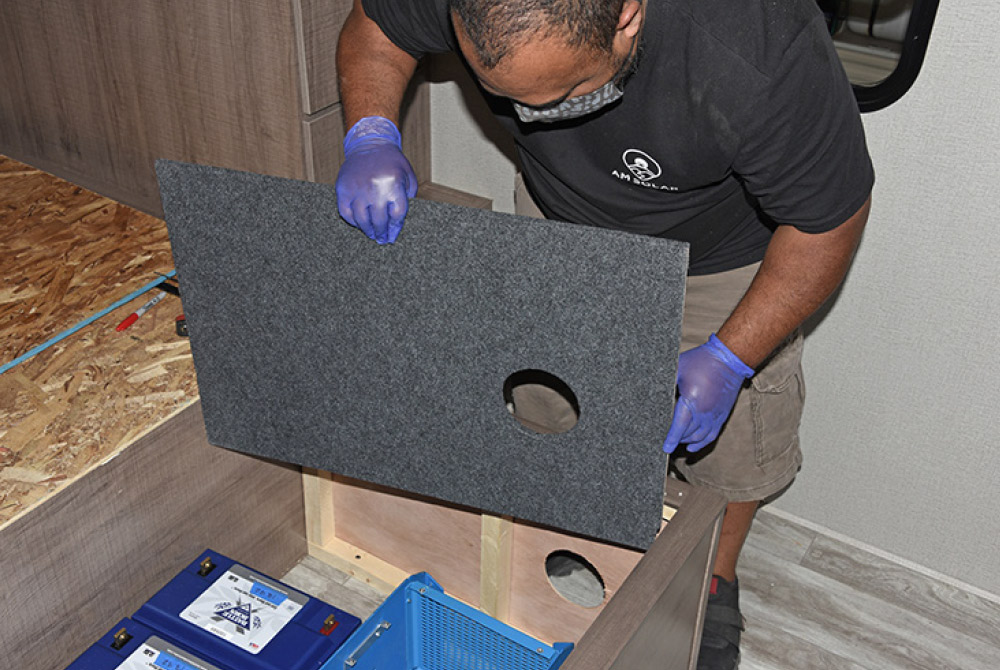
To neatly trim the carpet around the vent opening, an “X” is cut in the carpet over the hole, then several more cuts extend to the edges of the hole opening. The cuts are then folded, where they stick to the back of the panel. Voila! A perfectly shaped hole in the carpet. The panel is then returned to the inside of the bed platform.
An inverter shell
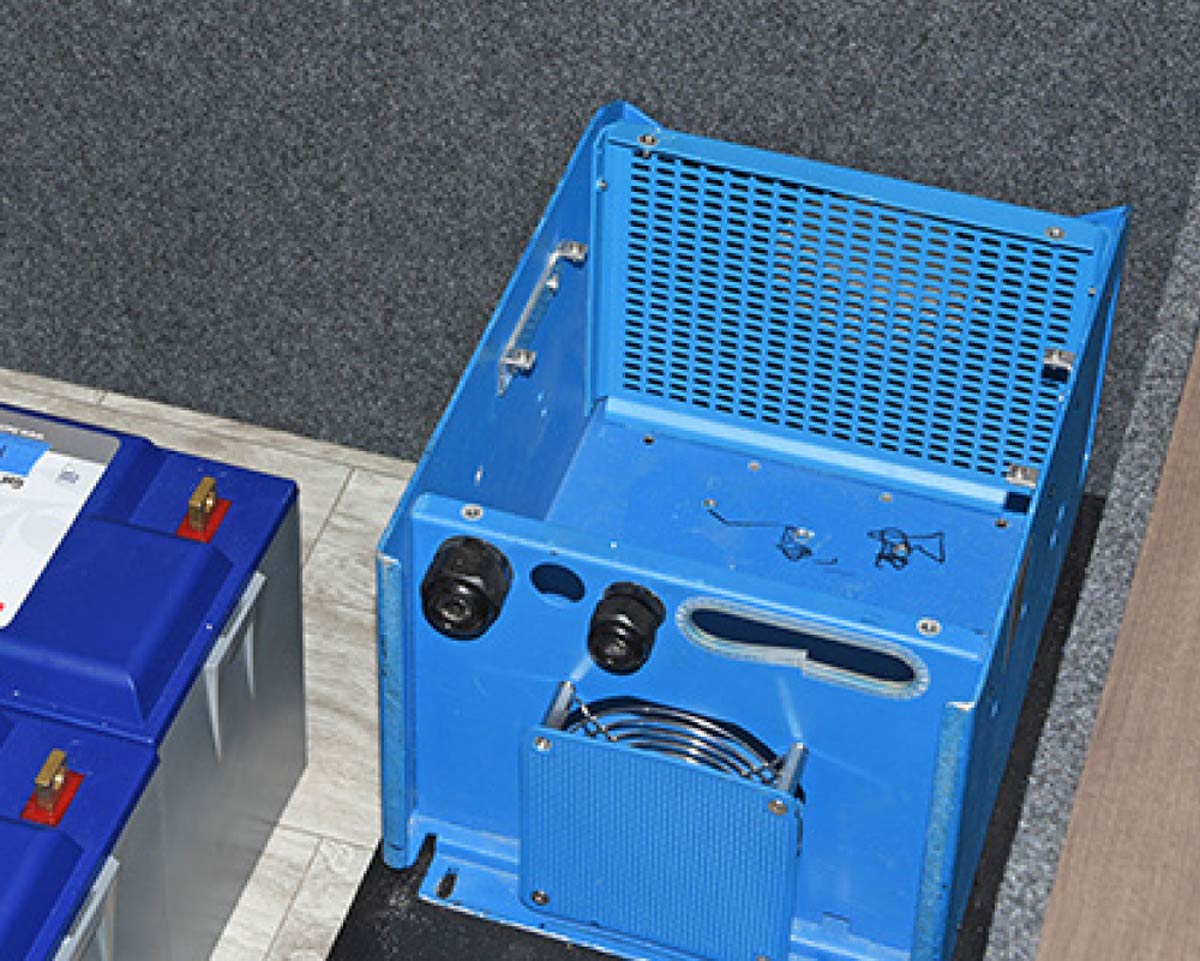
An inverter shell is placed against the panel to confirm correct alignment. This makes it easier to determine the inverter location and prevents possible damage to the actual inverter.
Holes corresponding to the mounting holes
Vent
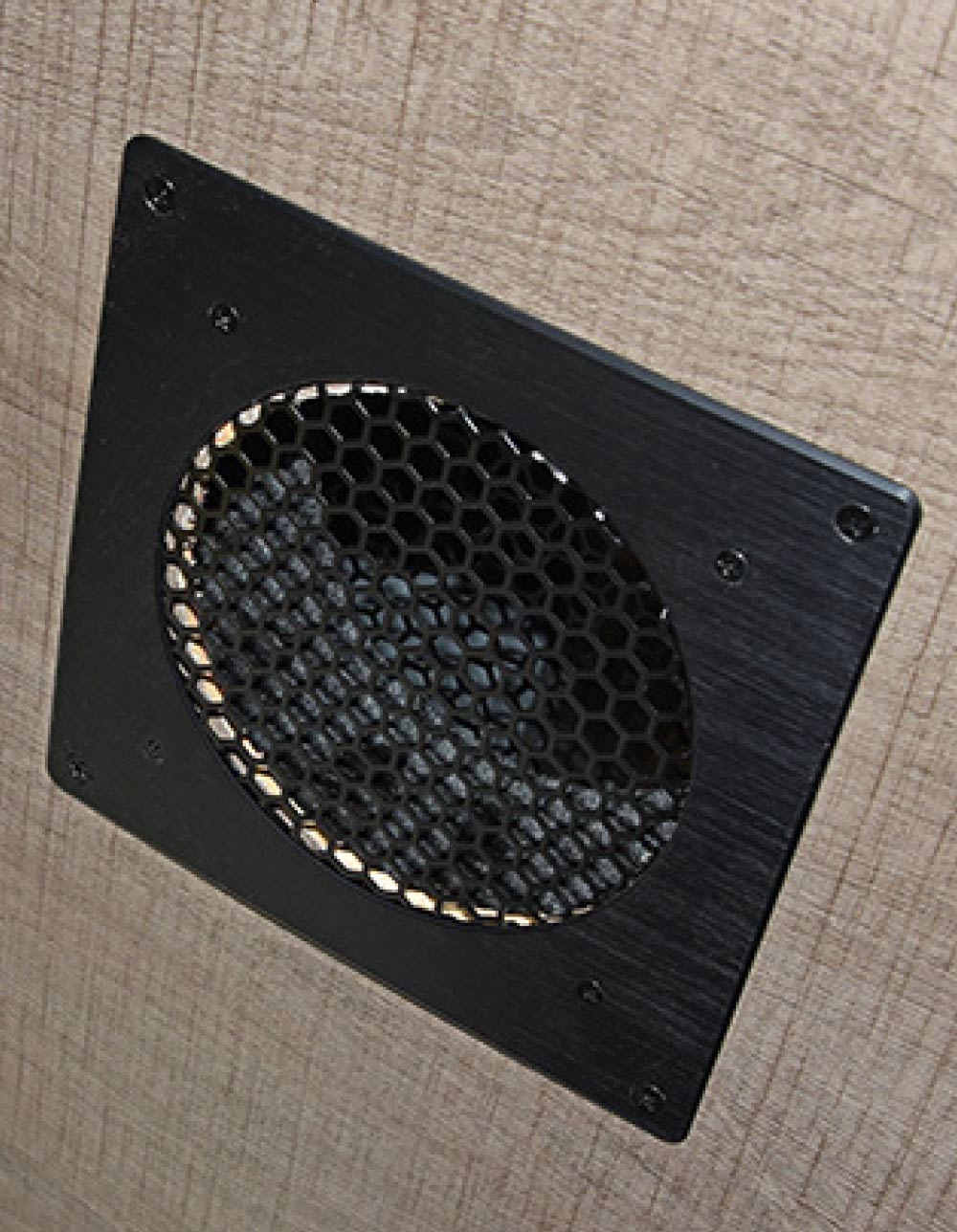
Holes corresponding to the mounting holes in the vent are drilled around the opening in the panel, and the vent installed.
opposing wall
 computer fan
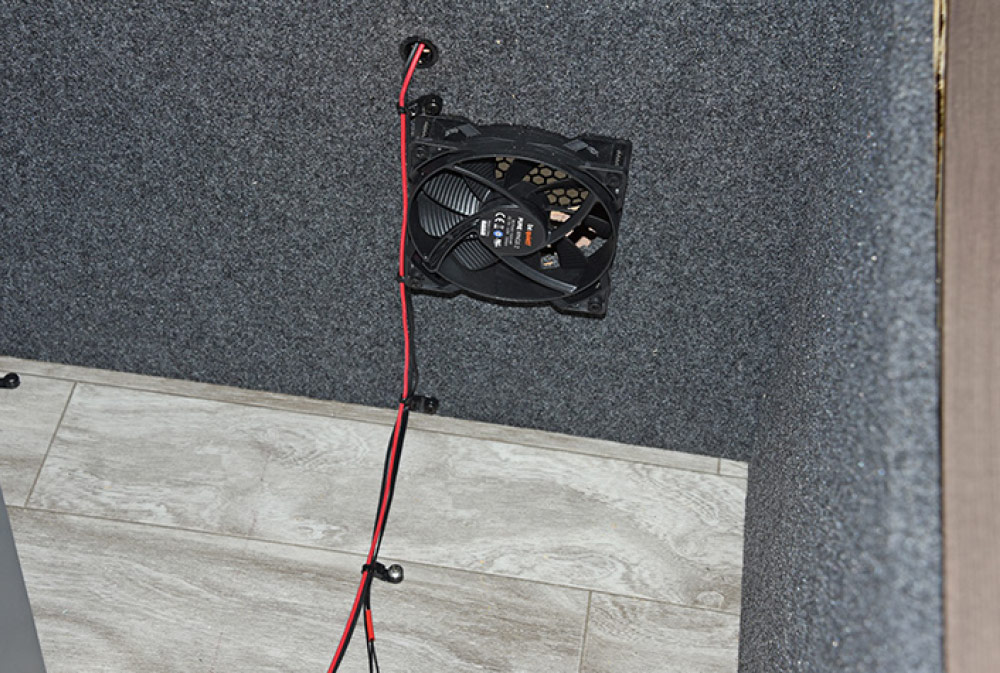
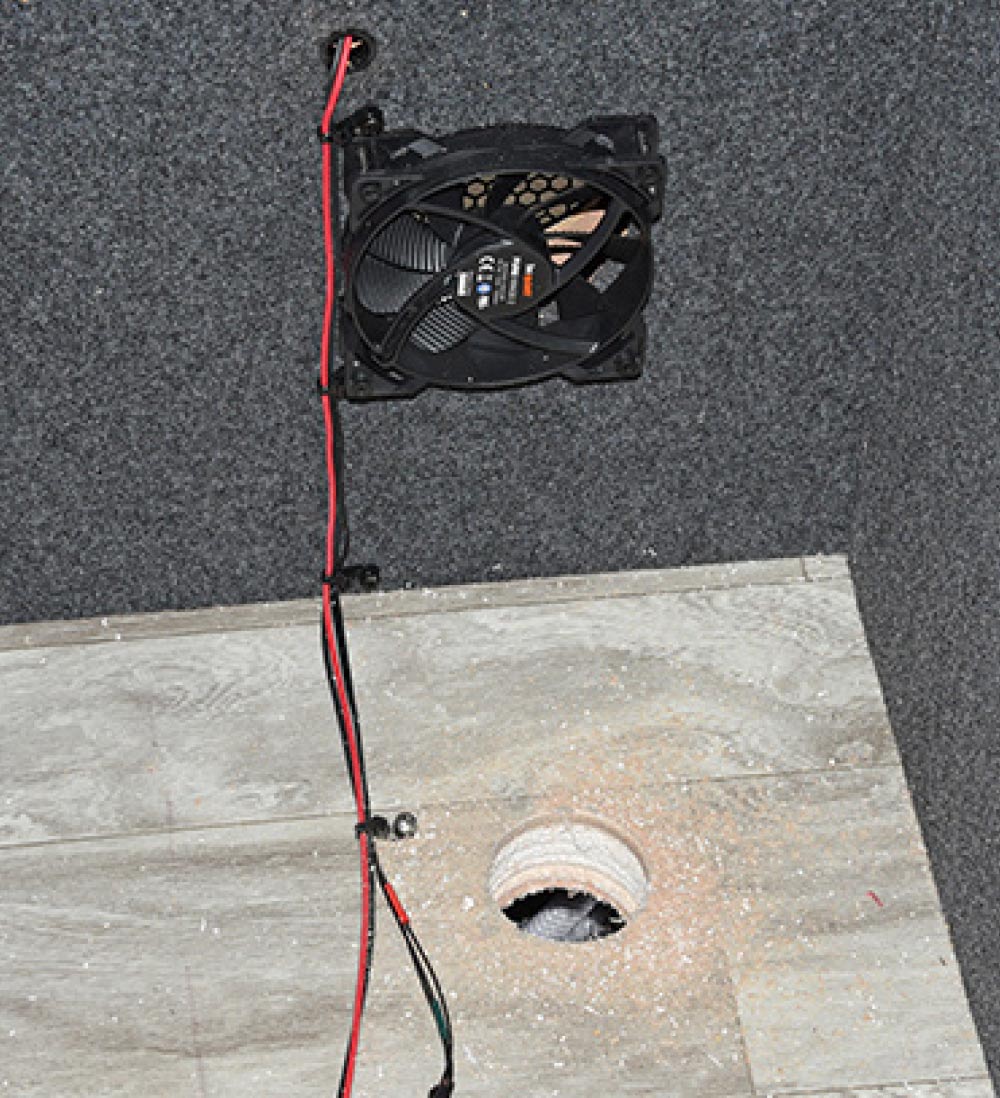
On the opposing wall, a small computer fan (Be Quiet Pure Wings 2) is mounted on the inside, with a vent cover on the outside. The red cord will have an on/off switch for the inverter/charger fan, so the owner can turn it off at bedtime if desired. Both fans automatically turn on when the inverter/charger gets warm, unless the switch for the computer fan is in the Off position. Note: This only applies to the charging side; when the inverter triggers the fan, it can’t be switched off.
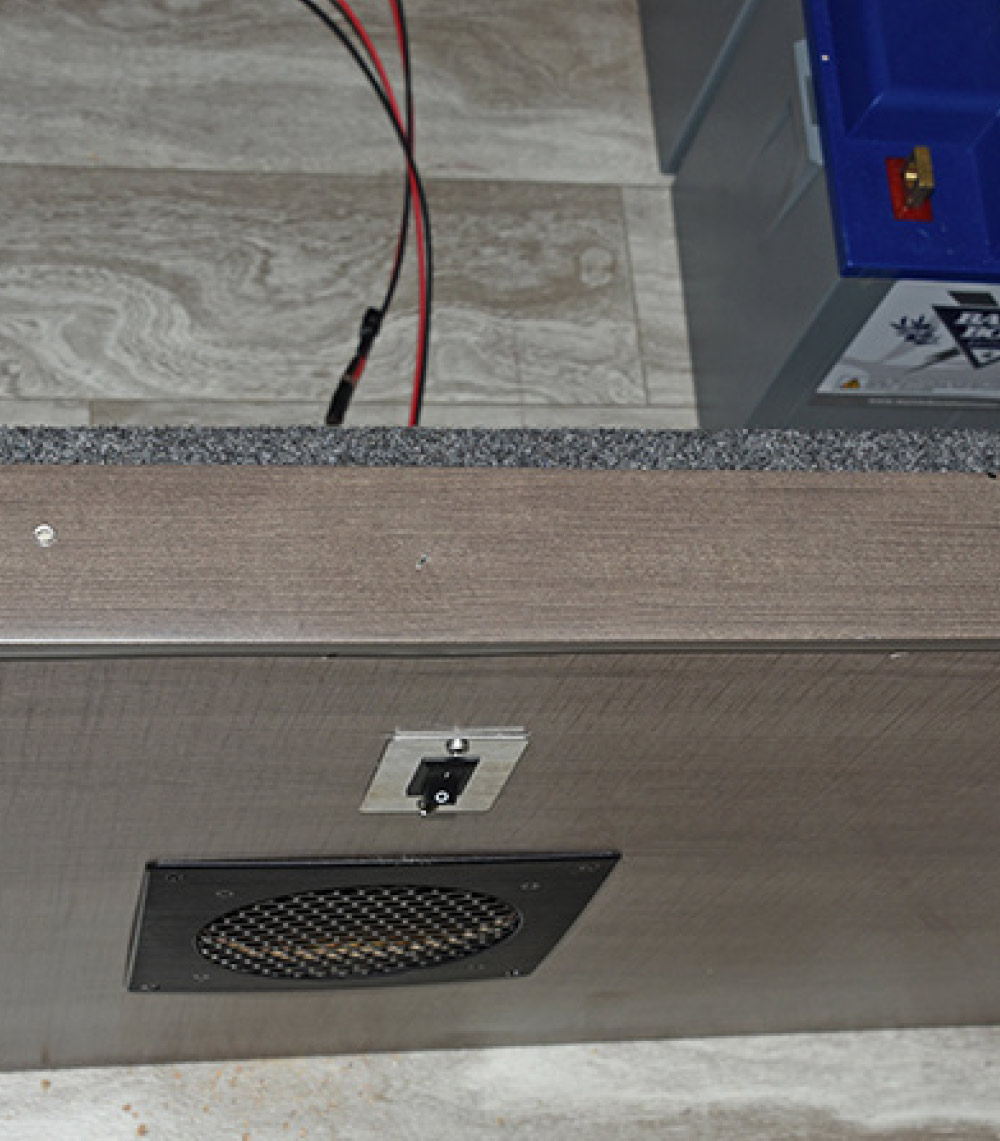
The fan vent and switch in its final location
The fan vent and switch in its final location on the curbside of the bed platform.
Inverter confirmed
Cables
With the location of the inverter confirmed, a hole is cut in the floor so the cables beneath can be pulled up through. Make sure you know what is inside or beneath the floor before cutting through this hole; you may not see that, as in this installation, a water line in this unit passes nearby.
Through the hole
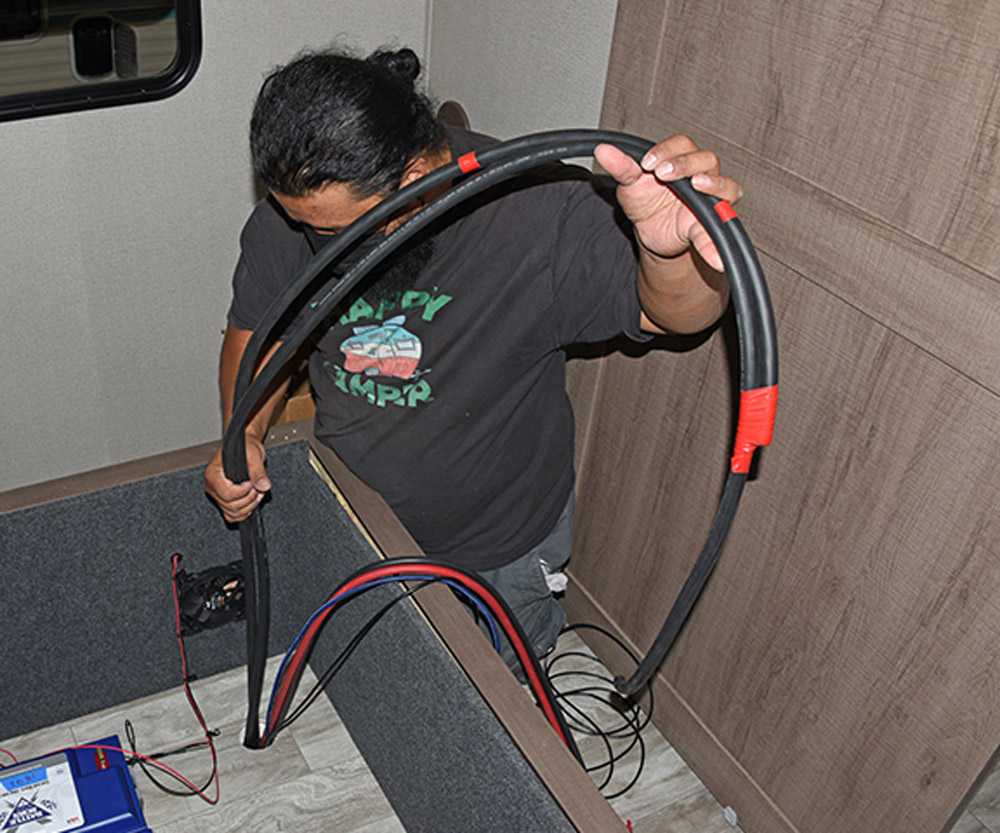
From underneath, the bundle of cables are grabbed and pushed up through the hole, while the tech topside grabs them and pulls them all the way. The two small pieces of red tape go on the input in order to differentiate it from the output cable.
A simple plywood platform was fabricated
A simple plywood platform was fabricated for the inverter to sit upon, so the cables from the hole underneath can pass through. It is equipped with metal L-brackets so it can be screwed to the floor once installation is final. Like the panels, the platform was covered in carpet for a clean appearance. You can also see that the technician has begun mounting components to the front wall, starting with disconnect switches for the inverter and batteries.
AC cables
DIN rail
The AC cables are mounted to a DIN rail and will be part of a circuit breaker assembly that will protect the AC current side of the inverter. The DIN rail and circuit breaker assembly is mounted to the curbside wall of the bed platform, above the cooling fan assembly.
Components are mounted to the forward panel
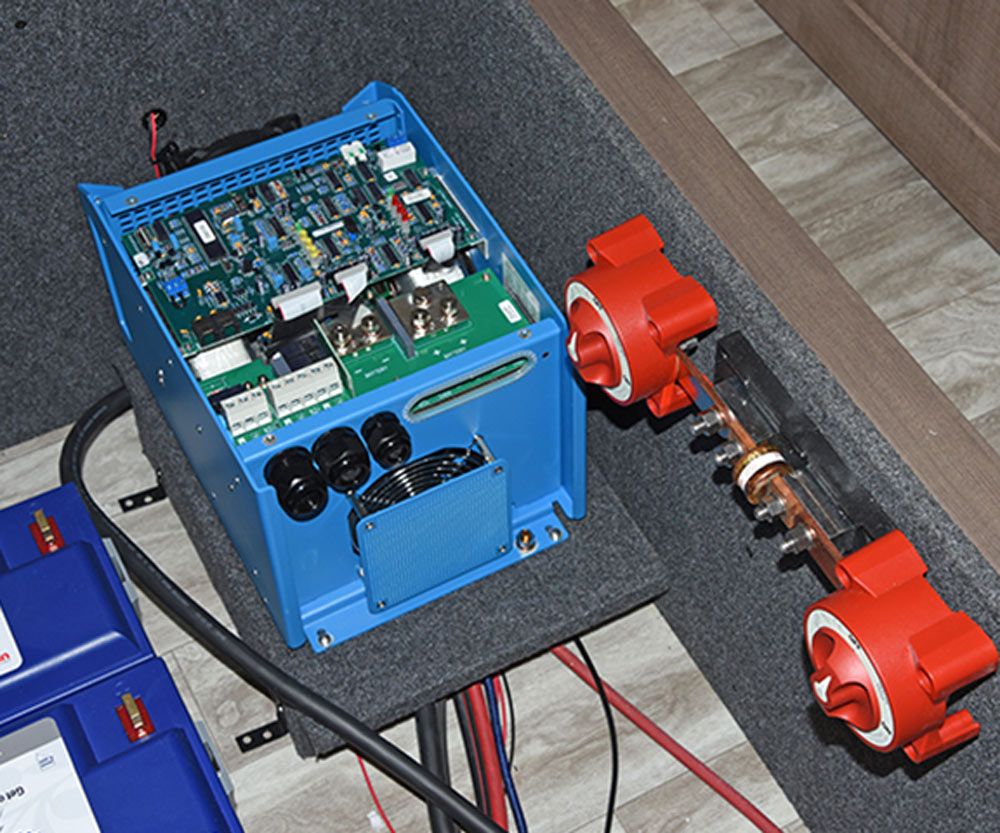
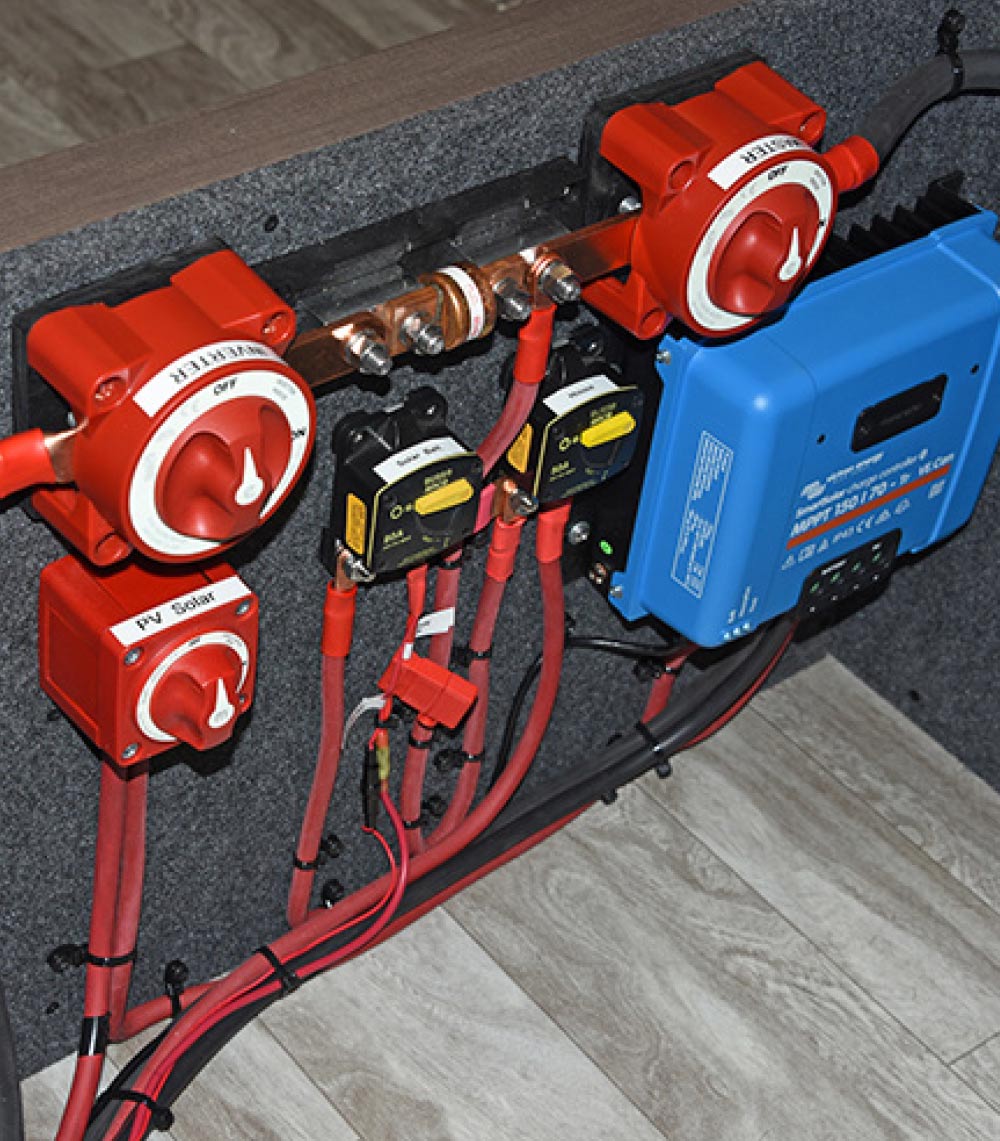
The rest of the components are mounted to the forward panel. A helpful tip here is to remove the panel and mount the components on a bench first, then re-install it and attach the cables. Shown here are the inverter master switch (red, top left; disconnects the inverter/charger from the batteries), 12-volt DC master (disconnects everything from battery power) PV Solar (disconnects solar power from the charger controller) and Victron SmartSolar charge controller.
battery monitor
Aforementioned DIN rail
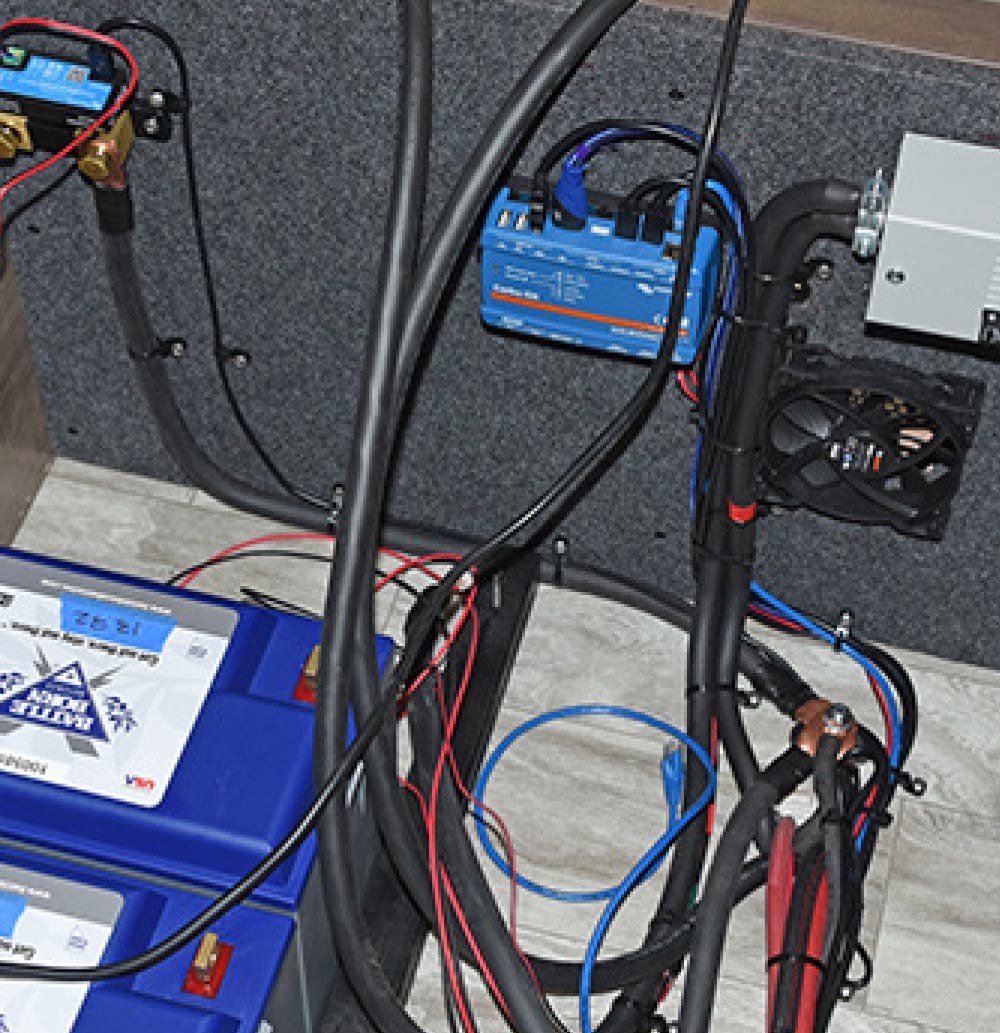
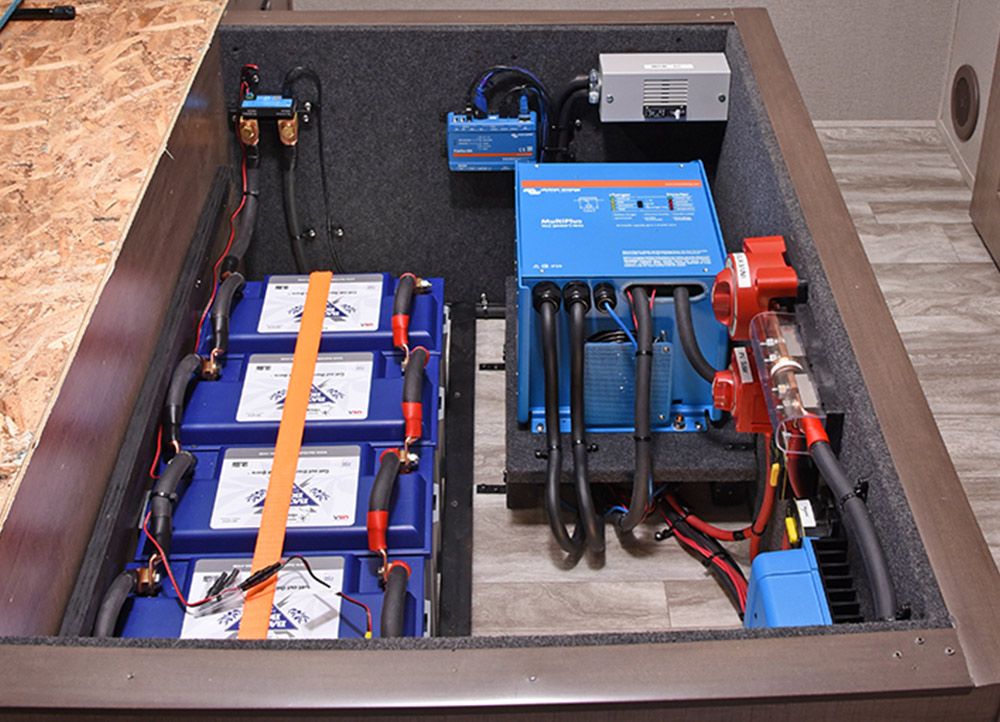
At the other end of the box is the 120-volt AC side of things. Top left is a Victron SmartShunt battery monitor, which works in concert with the Victron Cerbo GX communication center to provide real-time state of charge, system status and other critical information to the Victron GX Touch 50 panel mounted in the entry doorway. To the right is the aforementioned DIN rail assembly with 120-volt AC breaker. Note that the cables are secured with cable ties and screwed to the floor using screw-mount cable ties.
The batteries
The batteries are secured by installing a U-shaped anchor at each end, then installing a nylon hold-down strap. A strip of 2 x 2-inch lumber, painted flat black, is pushed up against the battery bank and screwed into place.
Small wires
With the final cable mounting completed, the inverter platform and inverter are re-installed. First, the small wires for the exterior inverter fan switch are installed, followed by the 12-volt DC positive and negative cables. The two ports on the upper left corner of the inverter will accommodate the 120-volt AC cables. Once everything is connected, the inverter top is re-installed.
Battery cables in parallel
The final step inside the box is to connect the positive/negative 12-volt DC battery cables in parallel. The completed box is very well-finished and sanitary, with tidy cable routing and labels on all breakers for easy reference.
Solar Flair — Power Center Modifications
power center
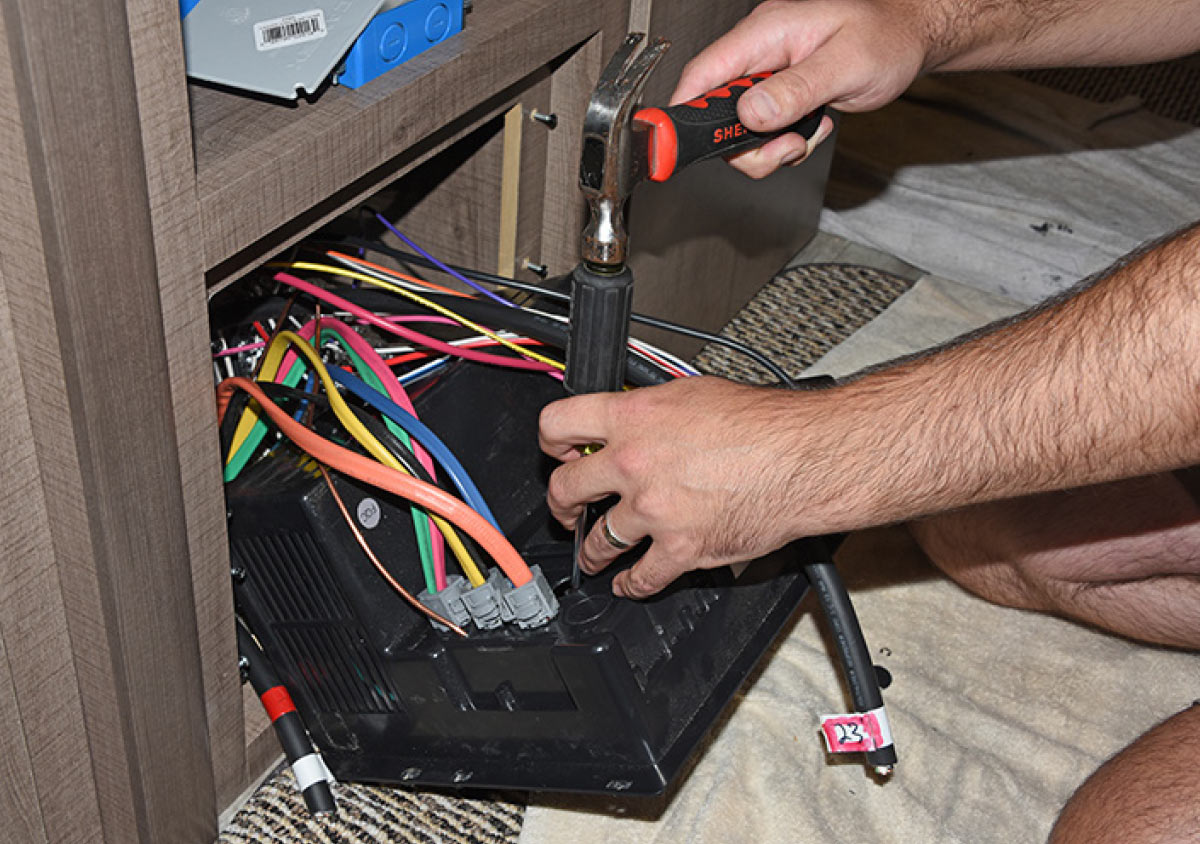
Back underneath the refrigerator, another technician prepares to modify the power center. First, a “knockout” (a removable plastic plug molded into the plastic body) is removed. The large orange AC wire from shore power will be disconnected and replaced with an AC cable that goes to inverter output. The shore power wire will be routed to a junction box in a later step.
strands removed
The inverter output cable is stripped, and the “filler” strands removed; these keep the wires inside properly aligned so that the cable remains round and do not supply power.
New strain relief
A new strain relief is mounted in the hole that was just knocked out. As its name implies, a strain relief supports the cable and relieves stress on the wiring connection inside the box.
knockout hole
The clamp on the strain relief
The stripped cable wires are then passed through the strain relief and knockout hole. The clamp on the strain relief is then tightened. Note the large orange AC cable in the background that was removed earlier.
A new bus terminal
A new bus terminal was installed and the wires attached to it; the negative ground wire is attached to the appropriate post in the power center. When finished, this will serve as the load center that powers all AC loads.
The converter charge
The converter charge wire is disconnected because the inverter renders it unnecessary, and also because its charge parameters are incompatible with the lithium batteries. AM Solar technicians attach a label that clearly states the converter has been disabled on purpose, so it is not accidentally re-attached later. If you can’t read it in this photo, it says, “Converter Disabled for Lithium Batteries.”
Inverter’s input
AM Solar technicians
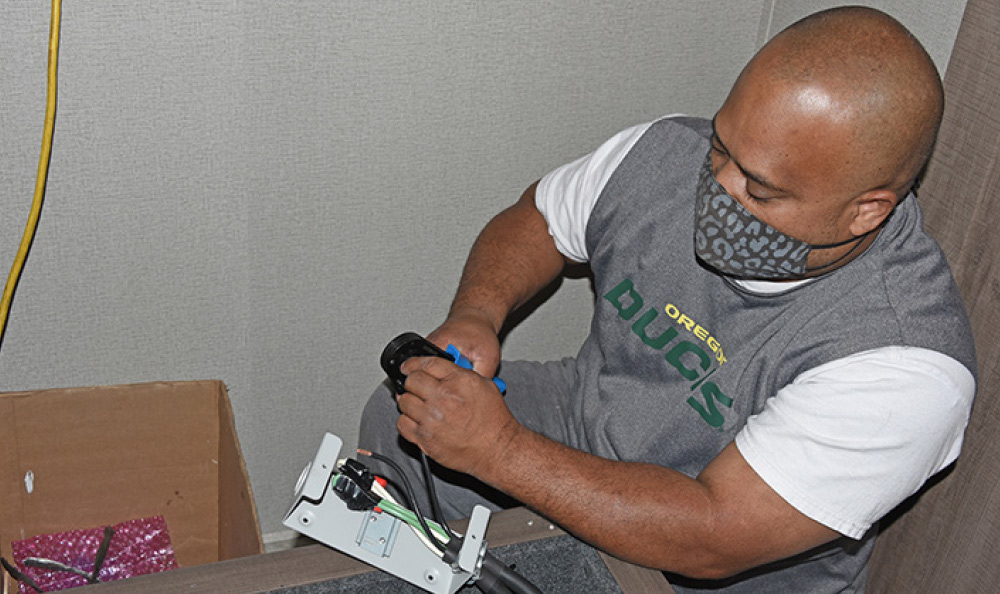
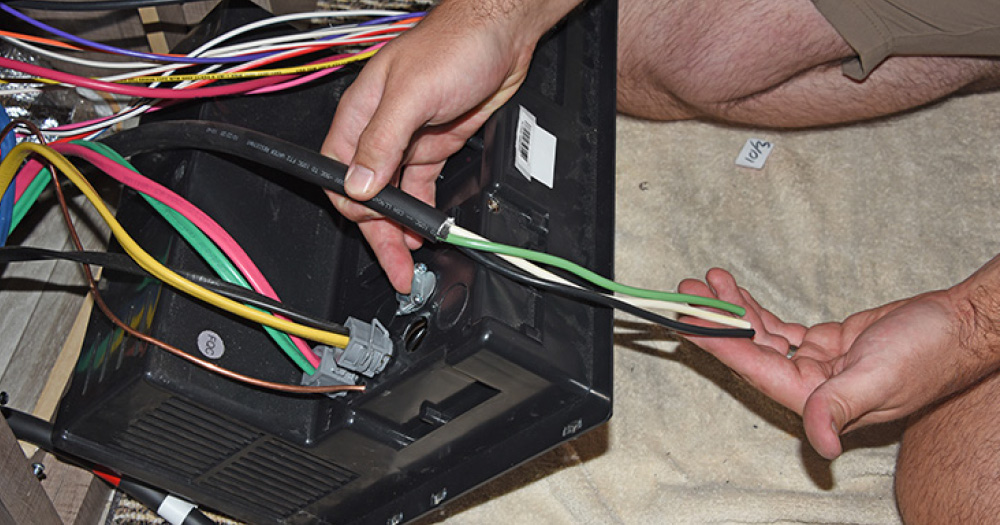
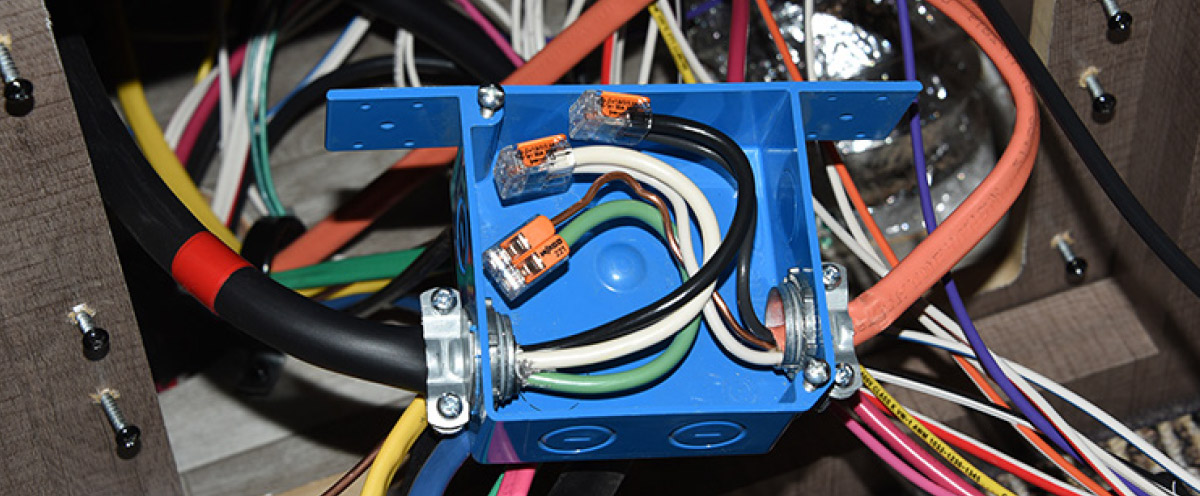
The shore power wire is routed to a junction box that connects the inverter’s input, allowing the inverter to be in the circuit before the main panel. AM Solar technicians prefer compact splicing connectors from WAGO (wago.com), which install easily and provide a secure connection
Connections are complete and the junction box
Here, the connections are complete and the junction box can be closed up.
Parts List
Want to re-create the system that was installed here, or something similar? Here are the key components you’ll need:

Charge controller: (1) Victron SunRunner 70MPPT/2 Core https://amsolar.com/rv-controller-system-harness/30s-vt-mpp-70a
Combiner box: (1) AM Solar roof C-Box https://amsolar.com/rv-combiner-box/20-roof
Solar panels: (5) 170-watt monocrystalline Zamp solar panels with rocker mounts https://amsolar.com/rv-panel-klts/11s-tlt-zs170
Sealant: (3) tubes https://amsolar.com/rv-mounting-accessories/seal-slvl
Battery base kit with monitor: (1) https://amsolar.com/rv-lithium-battery-banks/40-libbbmv100
Battery add-on kits: (4) https://amsolar.com/rv-lithium-battery-banks/94vs-bb100
Master disconnect switch: (2) https://amsolar.com/rv-battery-accessories/93s-mini
Battery strap kit: (1) https://amsolar.com/rv-battery-accessories/40-strap
Inverter/charger kit: (1) https://amsolar.com/victron/inv-vt-3000 (RV Upgrade Kit Full Pass) NOTE: Modified. Digital Multi Control and RJ45 cable removed
System monitor: (1) https://amsolar.com/rv-charge-controller-accessories/60-vtcer
EasyStart: (1) https://amsolar.com/rv-inverter-accessories/98-easy
Tow Vehicle Compatibility Kit (1-not shown in article): https://amsolar.com/rv-battery-accessories/98-altclitow

Solar Flair — Solar Panel Installation
Up on the roof
The same measurements
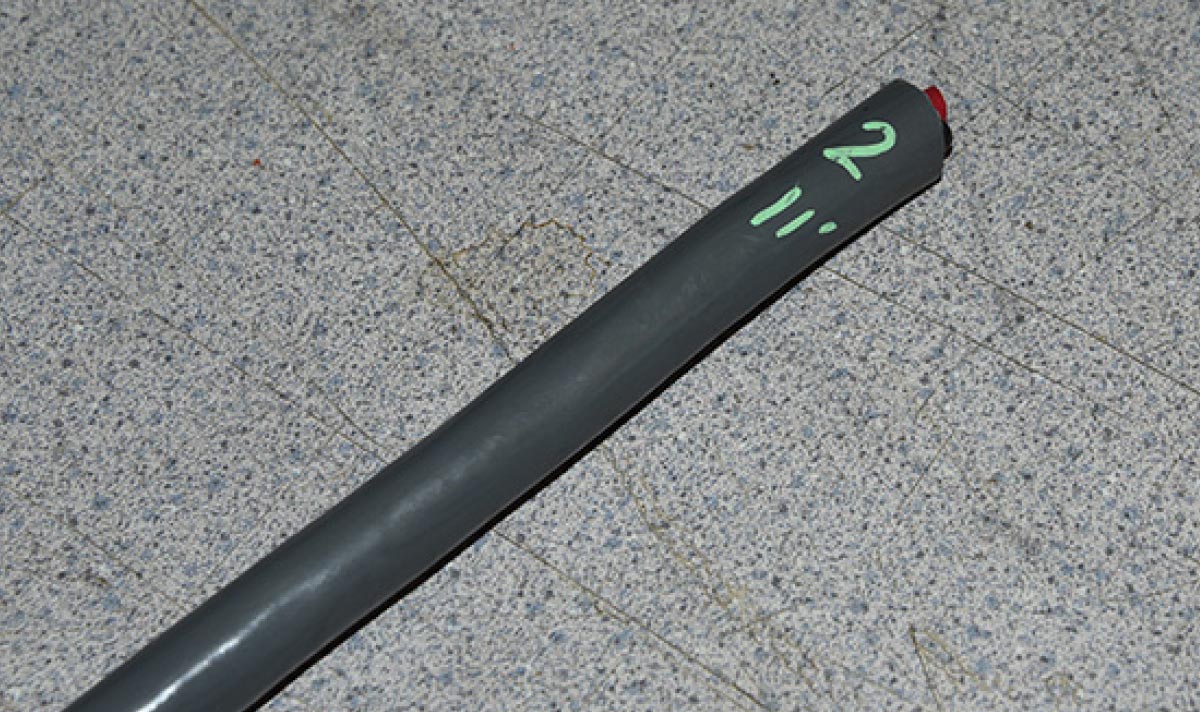
Up on the roof, the install technician begins laying out the solar panels. First, a combiner box is placed over the cables, and the distance between it and the first proposed solar panel location (a cardboard square the same dimensions as the actual solar panel) is measured. The same measurements will take place between the combiner box and the other four panels. This will tell the technician what length cable must be cut for each panel. As each cable is cut, it is labeled so that the technician knows to which panel it goes to and its length (11 inches shown here).
Once measuring
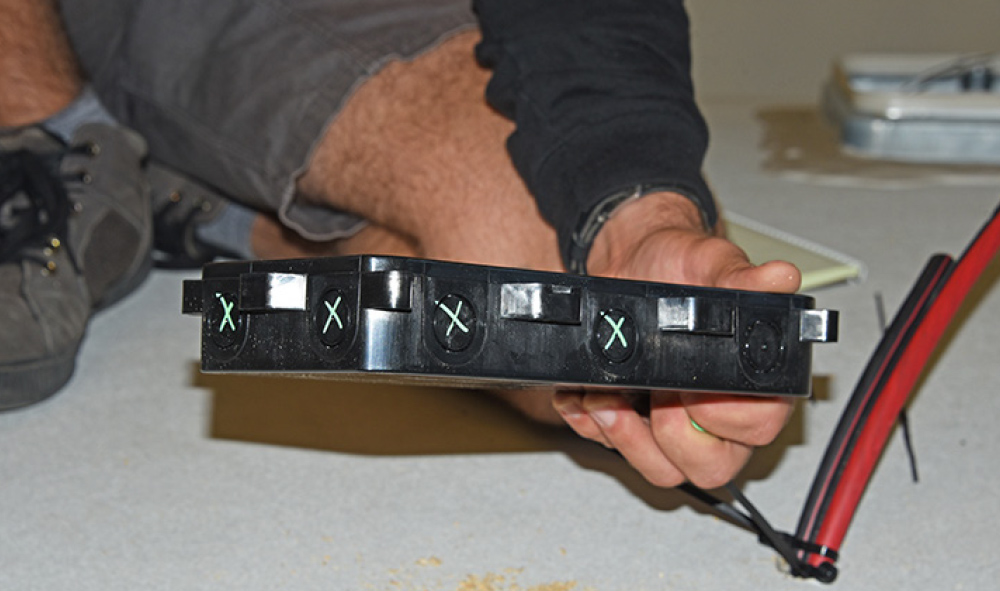
Once measuring is completed, the technician marks the knockouts on the combiner box that need to be removed. He then uses a drill to remove the knockouts to prevent cracks that could be caused by hammer/punch blows.
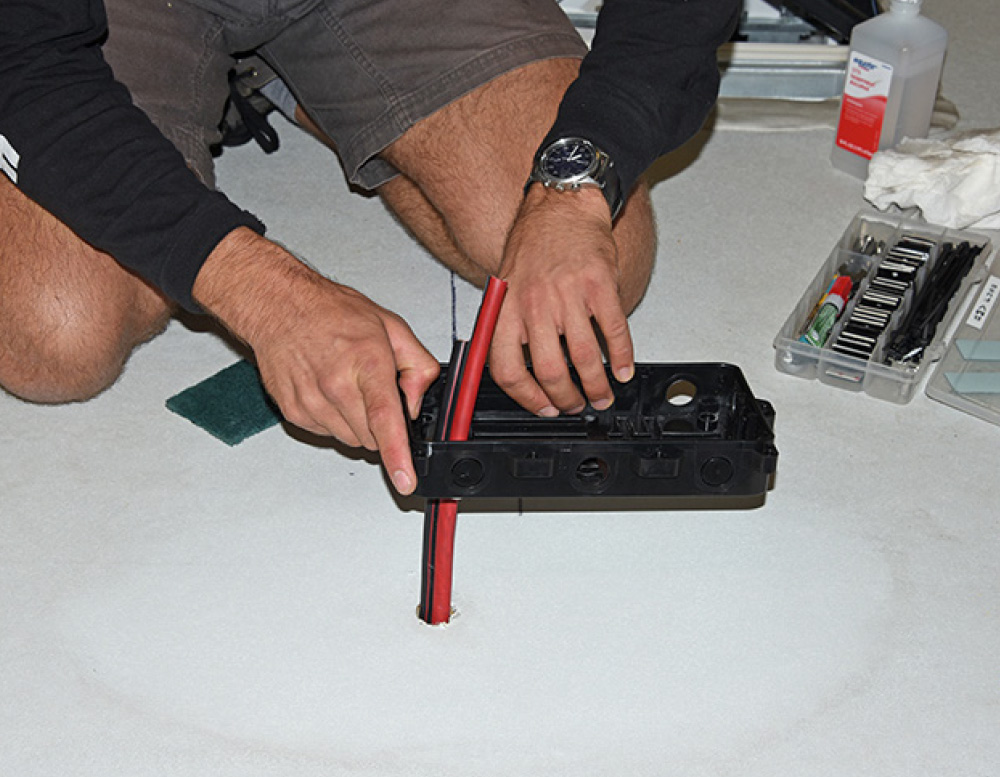
Time to mount the combiner box
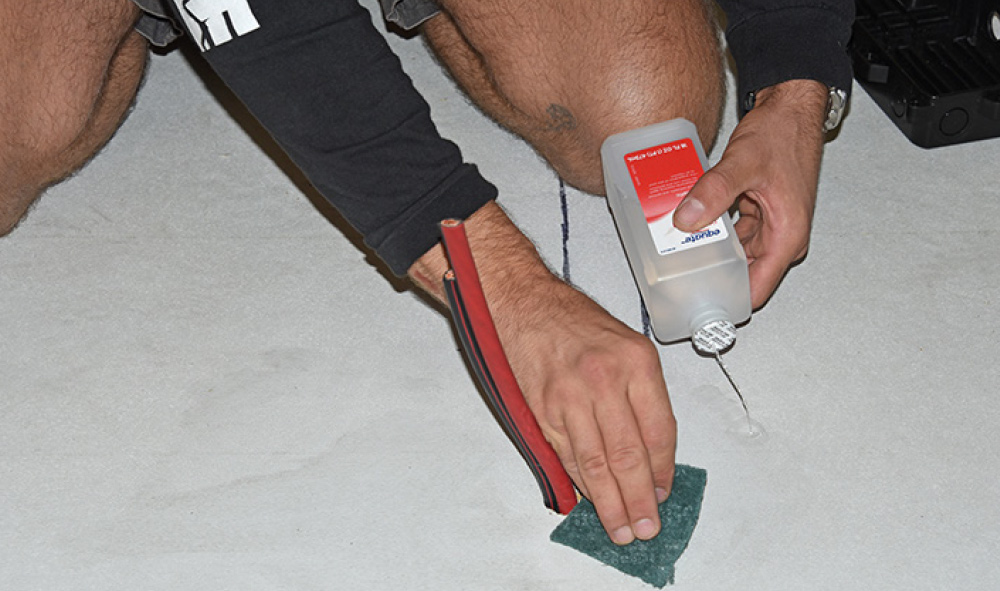
Time to mount the combiner box. Since this will go over the cables that pass directly through the roof, making sure everything remains weatherproof is of paramount importance. The technician begins by cleaning the area around the cables with alcohol. He then uses a scouring pad to “rough up” the surface for a better bond.
3M two-sided tape
The cables are routed
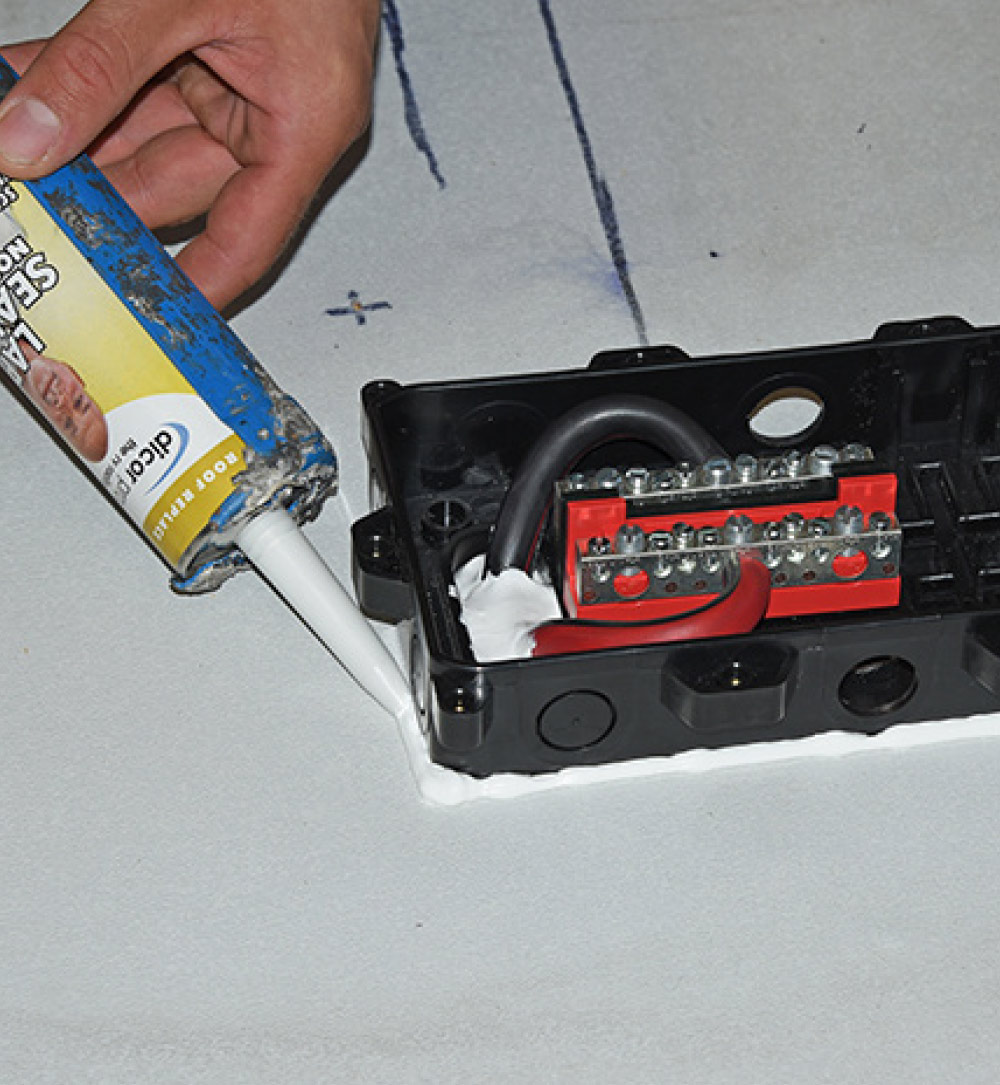
3M two-sided tape is applied to the back of the combiner box before it is pushed into place. Later, Dicor self-leveling lap sealant will be used. First, a bead of lap sealant is run round the bottom of the combiner box. The cables are routed into the box, and it is then pushed down onto the roof surface. The two-sided tape holds the box in place while the lap sealant cures.
positive and negative cables are attached to their own bus terminals
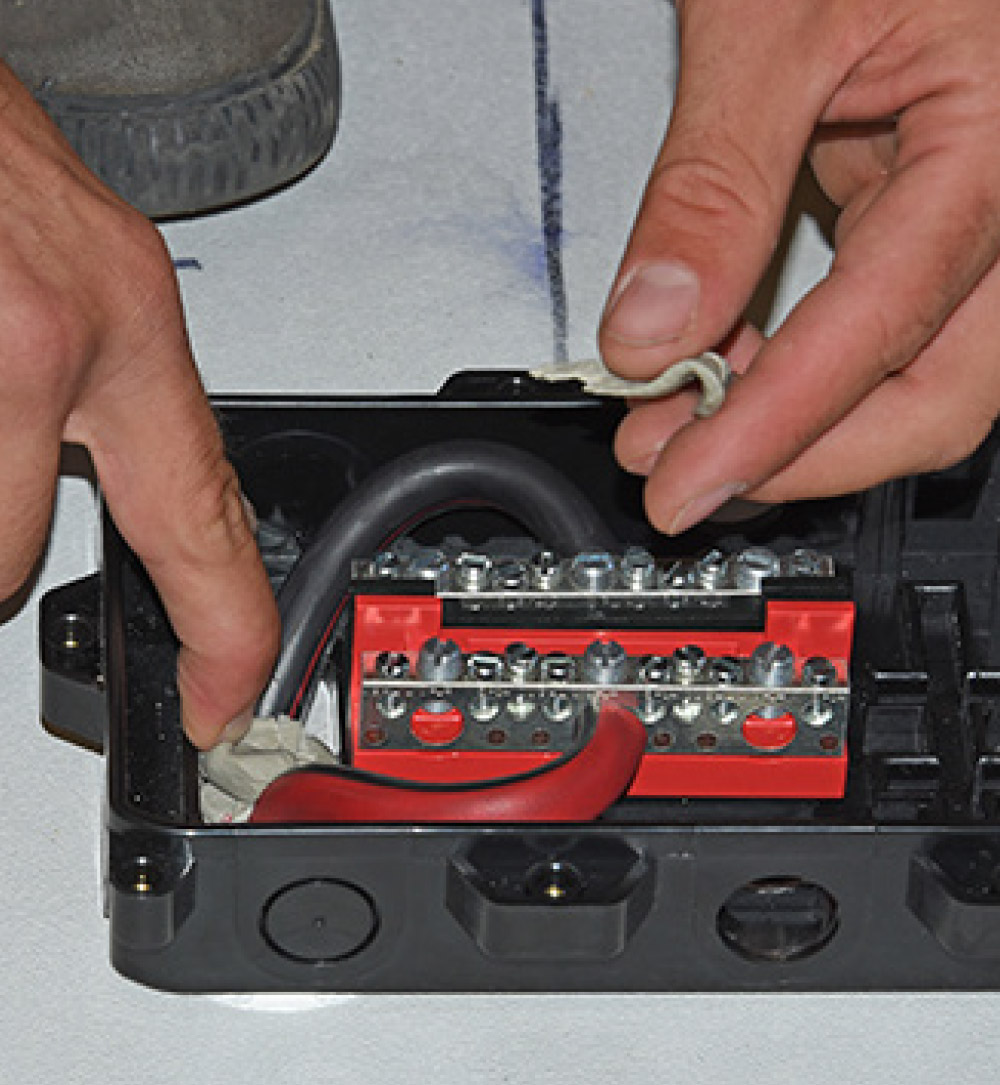
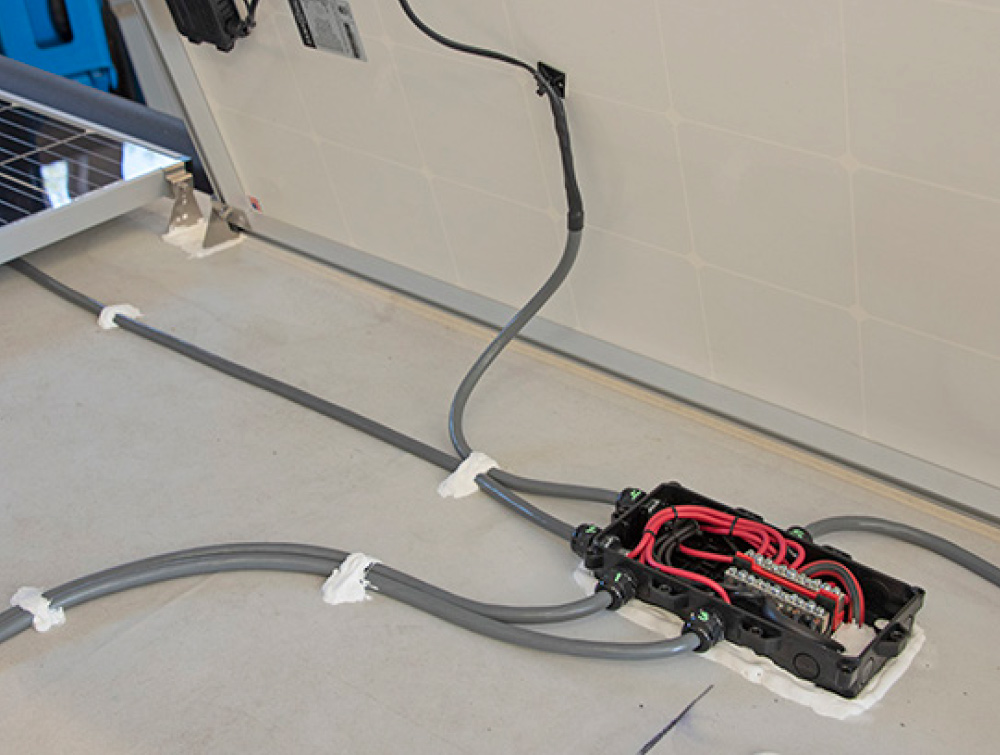
The positive and negative cables are attached to their own bus terminals. Because the cables are thick and try to push the bus terminals up, the technician glues them down with common super glue and holds them in place until the glue sets. The hole in the ceiling is then packed with putty tape.
Base of the combiner box
The area is then covered in self-leveling lap sealant and another thick bead of lap sealant is applied around the base of the combiner box.
Solar panels and related cabling
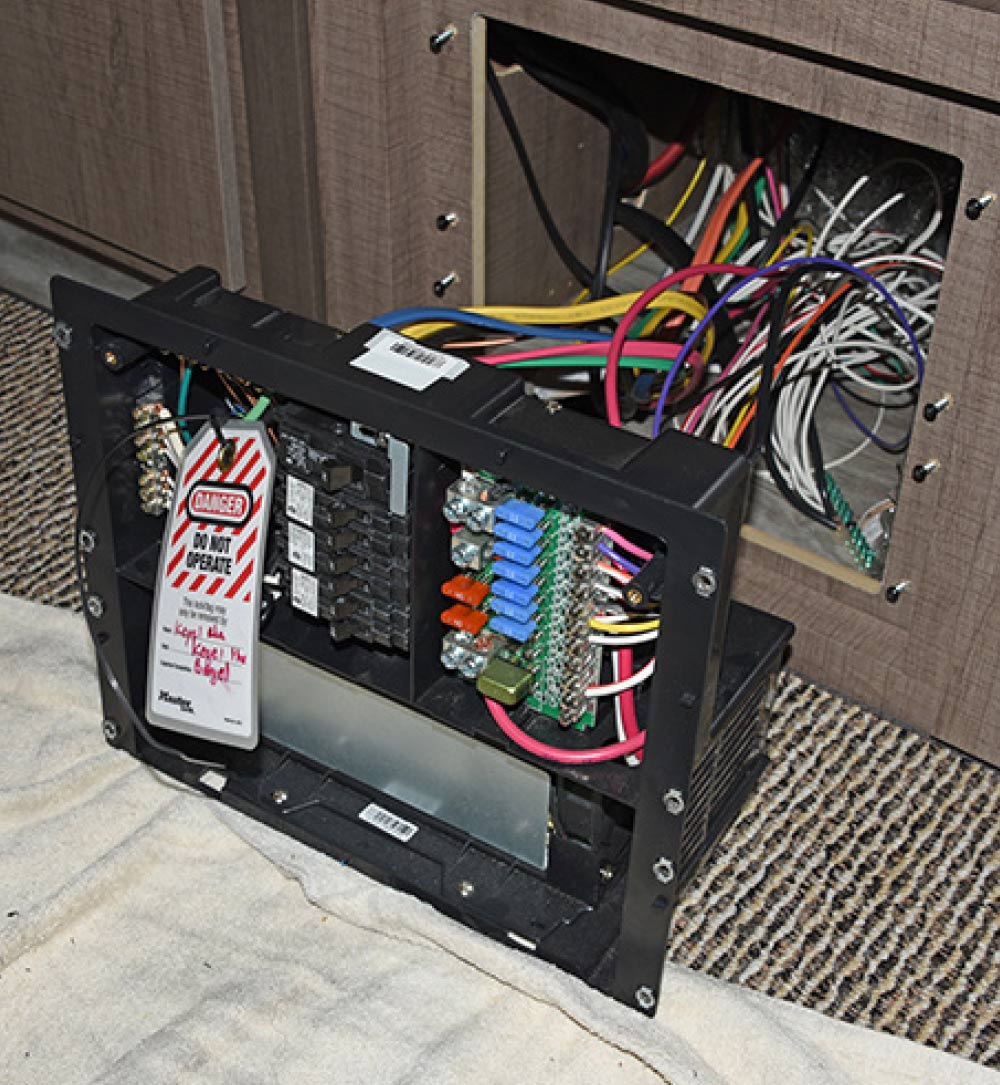
Because the solar panels and related cabling are being worked on the roof, the power center is switched off and a tag attached that warns any other techs on the job not to operate the power center — or even touch it. This is a smart tip that you can use at home if installing solar panels on your own RV with a friend.
Micro-Air EasyStart
The side access panel
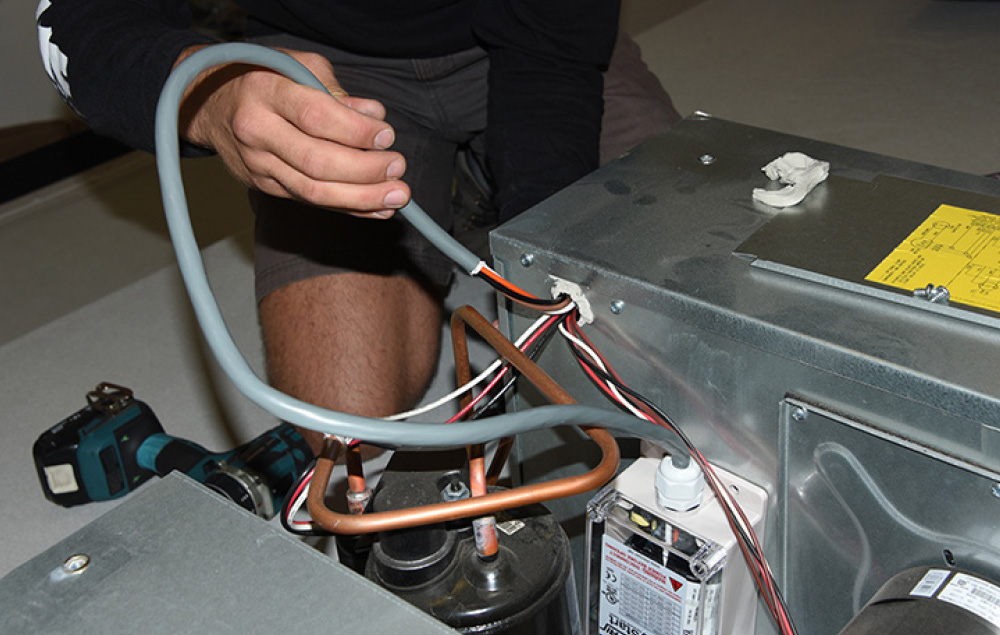
Next, a Micro-Air EasyStart unit was installed to reduce the load on the battery bank when the air-conditioner is started. First, the four screws on the top of the plastic shroud are removed. The side access panel is then removed. Inside the AC panel is a wiring diagram that provides instructions for adding optional start components and wiring. All 120-volt AC roof air-conditioners have one (although according to AM Solar, some take more ‘translation’ than others). Even so, it’s still a good idea to take a photo of the original wiring before work commences.
Weight Considerations
The batteries are, as might be expected, the heaviest part of any solar system. Battle Born batteries are 29 pounds each, or nearly half the weight of comparable lead-acid batteries. In this application, that’s about 150 pounds of battery — but since the two lead-acid batteries originally installed on the A-frame of the trailer are no longer needed, the actual battery weight is less than 100 additional pounds. The rest of the components, such as the inverter, woodwork, cables, etc. add about 120 pounds, and the solar panels weigh approximately 28 pounds each with mounts and cables.

AM Solar always attempts to mount battery banks over or ahead of the axle(s) to maintain sufficient hitch weight. As when adding anything to your RV, make sure you weigh it full of fresh water, LP-gas (if applicable) and all supplies you would normally take to make sure your RV has sufficient carrying capacity for the additional components.

The unit is then stuck to the side
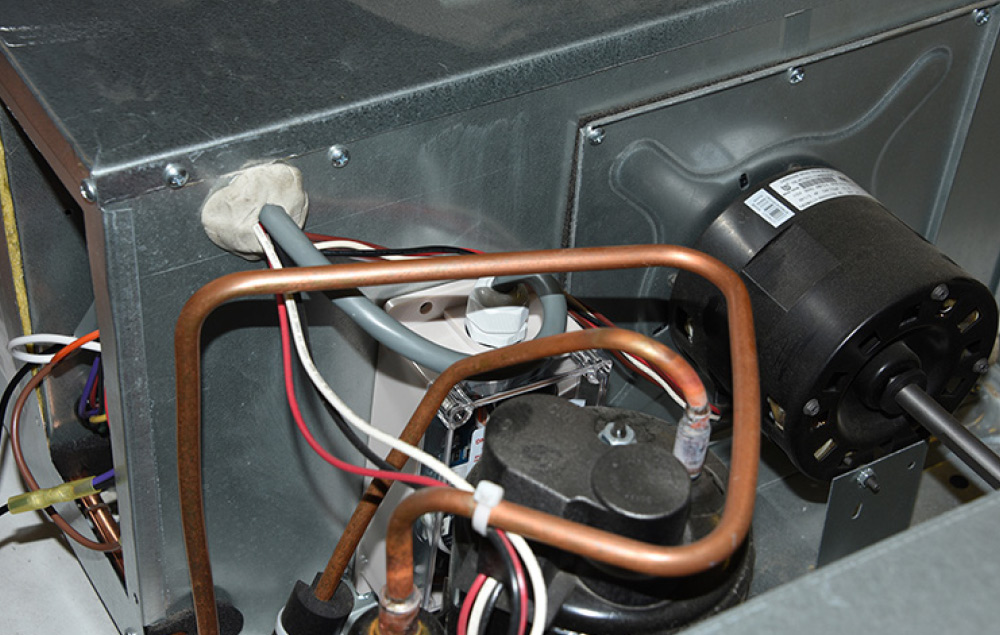
The unit is then stuck to the side of the air-conditioner’s metal housing. Note that the wires coming from the compressor and the fan motor are the same size and color, so it’s particularly important to pay attention when disconnecting/reconnecting wires.
The wires from the EasyStart harness
shroud is re-installed
The wires from the EasyStart harness are installed through the same hole and connected per the instructions. Putty is then used to re-seal the wires and the shroud is re-installed.
solar panels
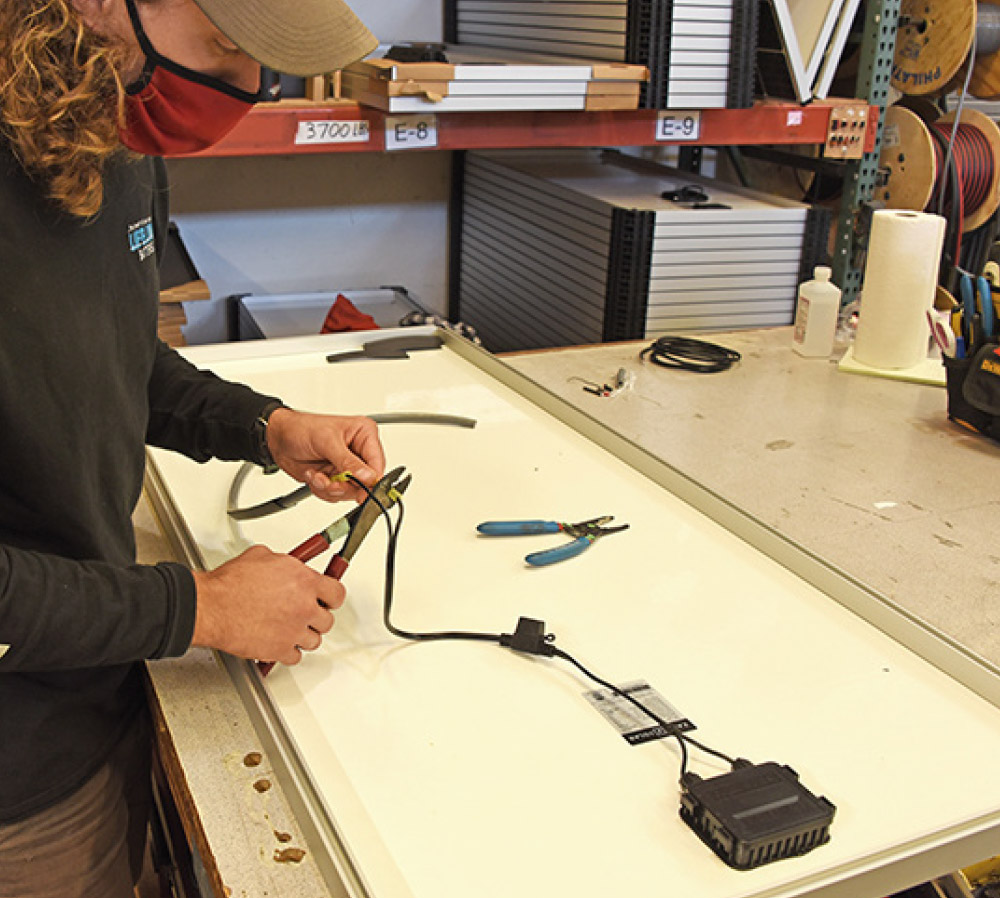
The cables that were cut and labeled earlier are now stripped and crimped to their respective solar panels. All connections are heat-shrunk for weather resistance.
Copper 4/0 cable
At the same time, the systems engineer begins cutting lengths of solid copper 4/0 cable and connecting the copper lugs using a heavy-duty crimping tool. These will be used to connect the five batteries in parallel.
Height-adjustable feet for each solar panel
For other roof types
Height-adjustable feet for each solar panel are mounted next. For rubber roof applications like this one, holes are drilled into the wooden roof substrate using the bracket as a template. For other roof types, such as fiberglass or metal, the brackets are glued in place to prevent cracking. A dab of lap sealant is applied to each hole before the screws are driven in, which helps seal the screw threads as well. The base of each bracket is then completely covered with lap sealant, making it weatherproof.
solar panel
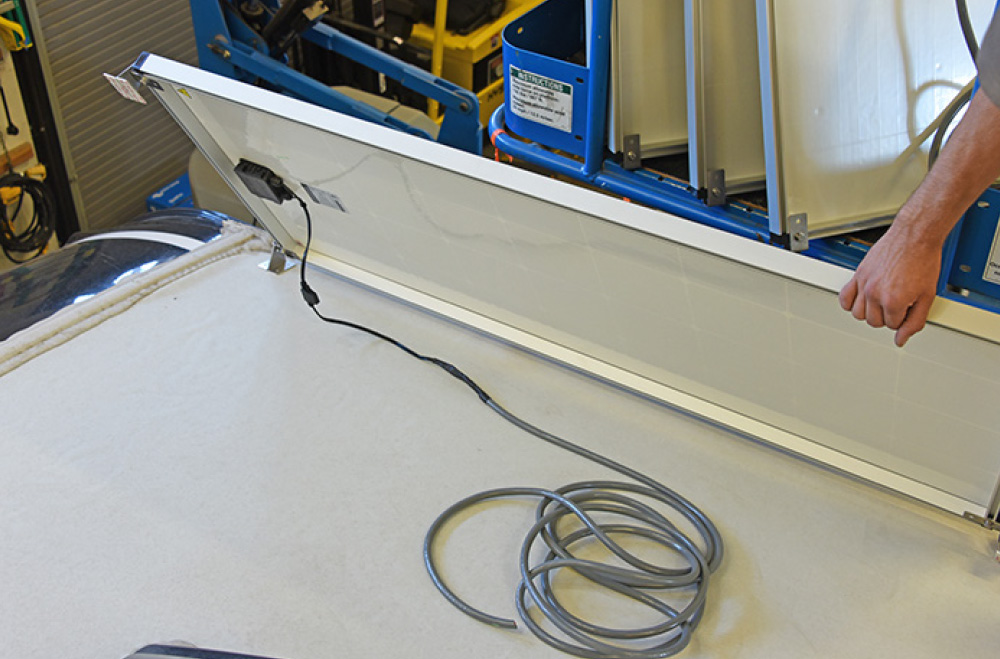
Each solar panel is then mounted to its feet. The panels are designed to be tilted if desired to take advantage of a low sun, so a little extra cable is used underneath each panel to allow for this. An important detail on these front panels is that they are turned with the junction box facing the front of the trailer; if they were turned the other way, the cable run to the combiner box would be shorter, but in a driving rain, water could creep up the cable and into the junction box, causing a short. With the junction box at the leading edge of the roof, water will travel away from the junction box.
The solar panel cables
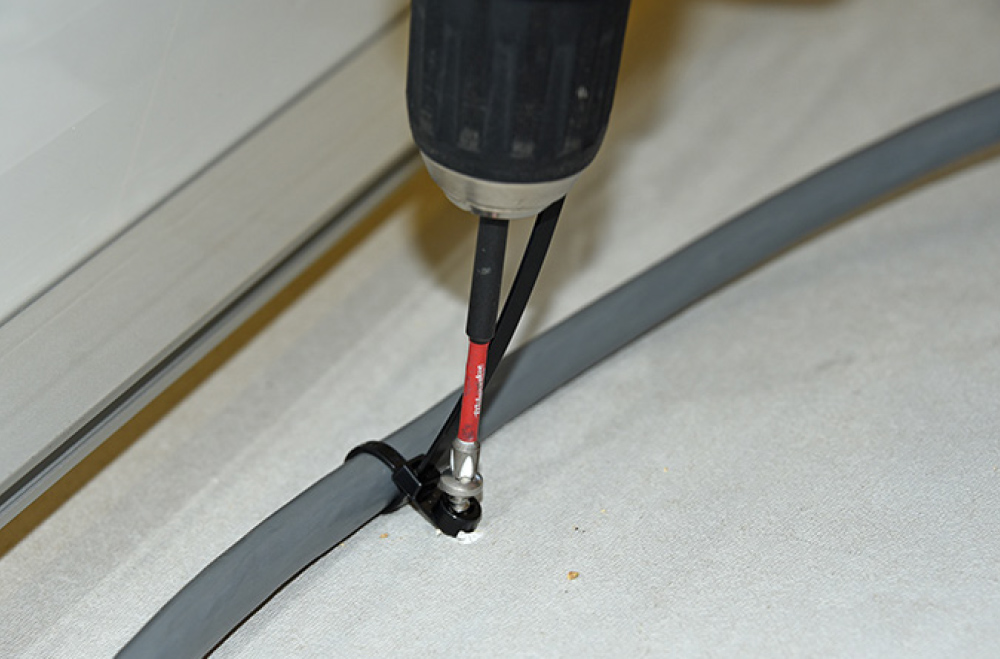
The solar panel cables are secured to the roof using screw-mount cable ties. As with the panel feet, lap sealant is applied first, then the screw is driven in. The fastener location is then completely covered with lap sealant as well.
Solar panels and related cabling
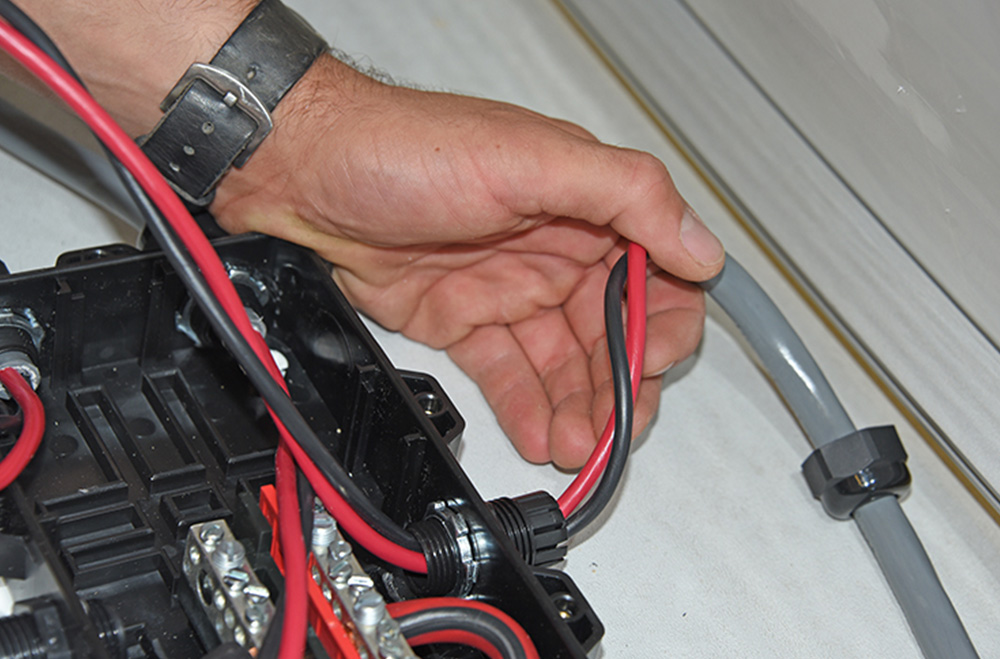
A strain relief is installed in each knockout in the combiner box. Each solar panel cable end is stripped, and a strain relief nut passed over its end. The positive and negative wires are then passed through into the combiner box, and the nut tightened into place.
The positive/negative wires
The positive/negative wires from each solar panel cable are attached to the bus terminals.
Shown is the finished combiner box
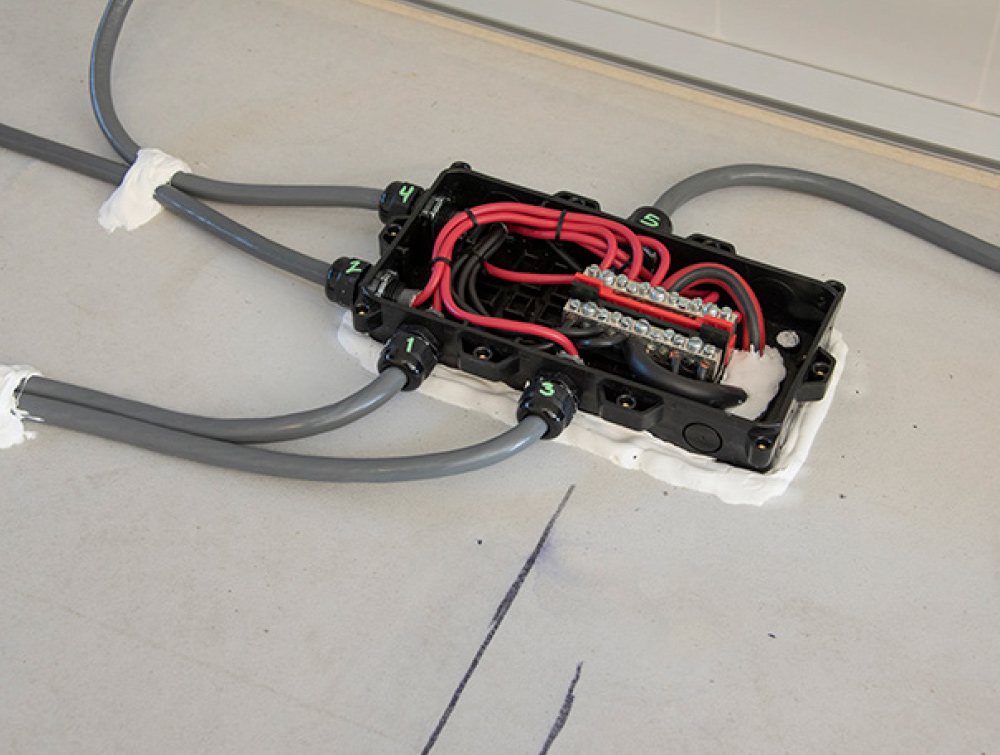
Shown is the finished combiner box with positive/negative connections from all solar panels. Note that all screw-mount cable ties have been covered with self-leveling lap sealant. Note also that the strain reliefs have all been numbered for the solar panel each cable attaches to.
Cable is secured
The cable is secured to the back of the panels using cable tie bases with adhesive backing; the cable tie is looped through the base and around the cable. Once all the wiring has been connected inside the combiner box, the weather-proof lid is installed.
AM Solar notes
The completed panel installation. AM Solar notes that there is still room for one more panel on the curbside by moving the two front panels rearward, and one more at the rear street side, located over the vents. However, the company tries to avoid placing panels next to the A/C unit due to shadowing, and cautions that too many panels can make roof access and cleaning difficult.
Tools for the Job
Unless you’re already familiar with electrical work, there are some specific tools you’ll need to correctly install an RV solar system. These include wire cutters, a heat gun, digital multimeter, hammer crimp, wire crimper, Kill-A-Watt meter and light meter. These can be found on AM Solar’s tool page: https://amsolar.com/rv-solar-panel-kit/installation-tools.

In addition, you’ll need commercial-grade wire strippers, common hand tools (i.e. screwdriver, wrenches) smart phone, drill and bits, and supplies like isopropyl rubbing alcohol and cleaning rags.

Source:
AM Solar
amsolar.com
(541) 726-1091