


et’s face it: The co-pilot always gets the brunt of any argument stemming from getting lost. It usually begins with something like, “Can’t you read a map? I’m driving, so I can’t be the only one figuring out where to go. Now I’ll never get this thing turned around,” or words to that effect.
Fortunately, the Global Positioning System (GPS), a gift from the military, has changed the way we navigate, taking most of the stress out of traveling unknown routes. Now we talk to an electronic co-pilot who, frankly, doesn’t take any guff from the driver. Not that many years ago, talking to a device would qualify one for a sanity check — but times have changed. Now it’s hard to imagine life without a familiar robotic voice telling you which way to turn.
Garmin is a world leader in the GPS navigational space and has been marketing portable devices for a long time, gradually adding features that have become popular with RV owners. Its latest offering, the RV 1090, raises the bar when it comes to screen size, design and performance. It also boasts enhanced RV park listings and the ability to input personal profiles to make routing safe for large and tall vehicles.
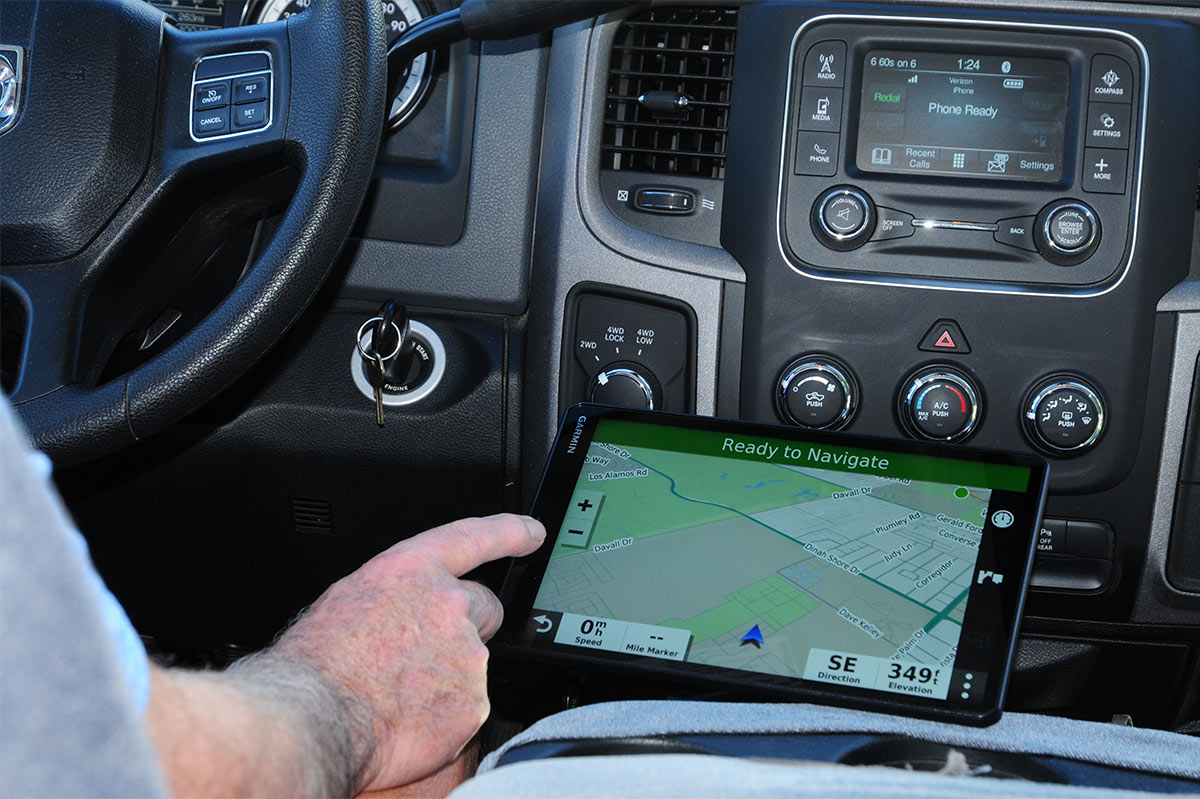
What looks like a modern tablet, the RV 1090 is actually a powerful navigational tool with a handsome 10-inch touch screen for those too shy to talk to an unfamilar mechanical guide. (If you’re using a tow vehicle or prefer a slightly smaller screen, the RV 890 is another option; it has the same features and programming as the 1090 in a more diminutive format.)
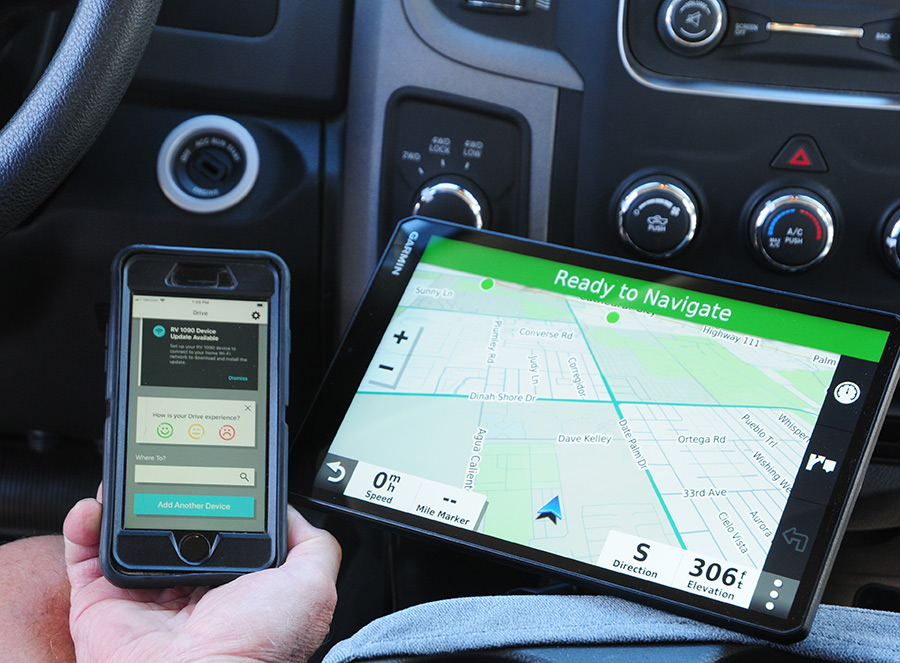
The RV 1090 handles like a tablet, the image is crystal clear and, most importantly, the screen is easily visible for drivers who need to concentrate on the road. Link the RV 1090 with a smartphone loaded with the Garmin Drive app (available on the Apple App and Google Play stores) and this navigational tool gives the driver and co-pilot command of the road and valuable information on RV service facilities, fuel stops, weather, traffic (and road closures), interesting places, RV parks, National Parks and, of course, step-by-step directions to your destination.
This is an amazingly powerful device, packed with features that ensure road travel will be stress-free. But, like most sophisticated electronic devices, there is always an acclimation period.
The Highlights, Please
There are two ways to approach using the RV 1090. You can limit use to just the basics, which is fairly intuitive, or dig deep by studying the 30-page comprehensive owner’s manual (downloadable from the Garmin site) and taking advantage of computer-level functions. (If you get stuck, just find a 10-year-old and they’ll show you how it’s done.) If you are already familiar with a previous Garmin model, acclimation will be quicker.


Loading the RV profile information is one of the first steps after mounting the screen. You’ll enter the type of RV, followed by maximum height, width, length and weight. Once that information is input, you’ll get a prompt whether to use the GPS for a car or RV by tapping the appropriate spot on the upper right portion of the screen after start-up. If you’re driving a dinghy or tow vehicle, you won’t need restrictive routing.
Pairing the RV 1090 (MSRP: $699.99) to a smartphone is equally simple. Once the Garmin Drive app is loaded and you are set up as a user, you’ll be prompted to pair the devices. If you are already a Garmin Connect participant through another device like a bicycle computer, you can just sign in. Teamed up with the Garmin Drive app, the amount of information gleaned from the screen is mind-bending. A special magnetic mount (part #010-12982-02; $49.99) is needed to receive over-the-air road conditions and traffic problems, but that’s only if this service is available in the area where you are traveling. Staying connected to the phone provides the highest level of reliable road information.
On the simple side, users can input an address or RV park, push Go and the navigation starts. Along the way, information on fuel stations, live fuel prices, places to park, traffic conditions and distance and time to the destination, among other features, can be read on the screen. Want to know arrival time? Just say, “OK Garmin, when will we arrive?” You’ll get an answer. This is perfect when traveling with youngsters who constantly hound the driver with, “Are we there yet?” There are a number of other verbal commands that can be used by the driver, so his/her eyes can stay on the road.
As mentioned earlier, the navigation screen is big and easy to follow at a glance. Roadways are clearly marked, along with information on distance to the next road or highway, current roadway name or number and direction to turn. When approaching intersections or highway transitions, a screen feature called Active Lane Guidance expands the details, making it easier to get over in plenty of time to change lanes. Between the voice directions and road details on the screen, it’s hard to make mistakes that can lead to getting lost.
Drivers will be warned of impending issues like sharp turns, steep grades, lateral wind, narrow roads, railroad crossings, school zones, state/country borders and even to shut down the propane when necessary (providing this setting is activated). It can also annoy you with speeding alerts; the device displays current speed and provides notice when speed limits are about to change. Routing can also be set to avoid toll roads.
While the RV 1090 has way too many features to list in this article, we’d be remiss not to mention its capability to function as a Bluetooth device for a cell phone. Calls can be made and answered using voice commands, and texts can be displayed on the screen, if desired.
Mounting the Screen
Garmin provides a number of components for mounting the screen, the most common of which is a suction cup bracket. It will stick to the windshield or other slick surface and stay there for a while — but intense heat can cause the suction cup to lose its “stickiness” and allow the screen to fall. Owners will have to determine whether the screen takes up too much windshield space on tow/dinghy vehicles, which can impede the view to the road (mounting a navigation unit on certain areas of the windshield may also be illegal in certain parts of the country). If using the suction cup bracket, it’s best to support the bottom of the screen on the dash or other surface that can provide stability. This is especially important when traveling in a heavy-duty tow vehicle (think dually truck) on rough roads, where the bouncing can dislodge the suction cup bracket or at least cause the screen to wiggle in concert with the bumps on the road.
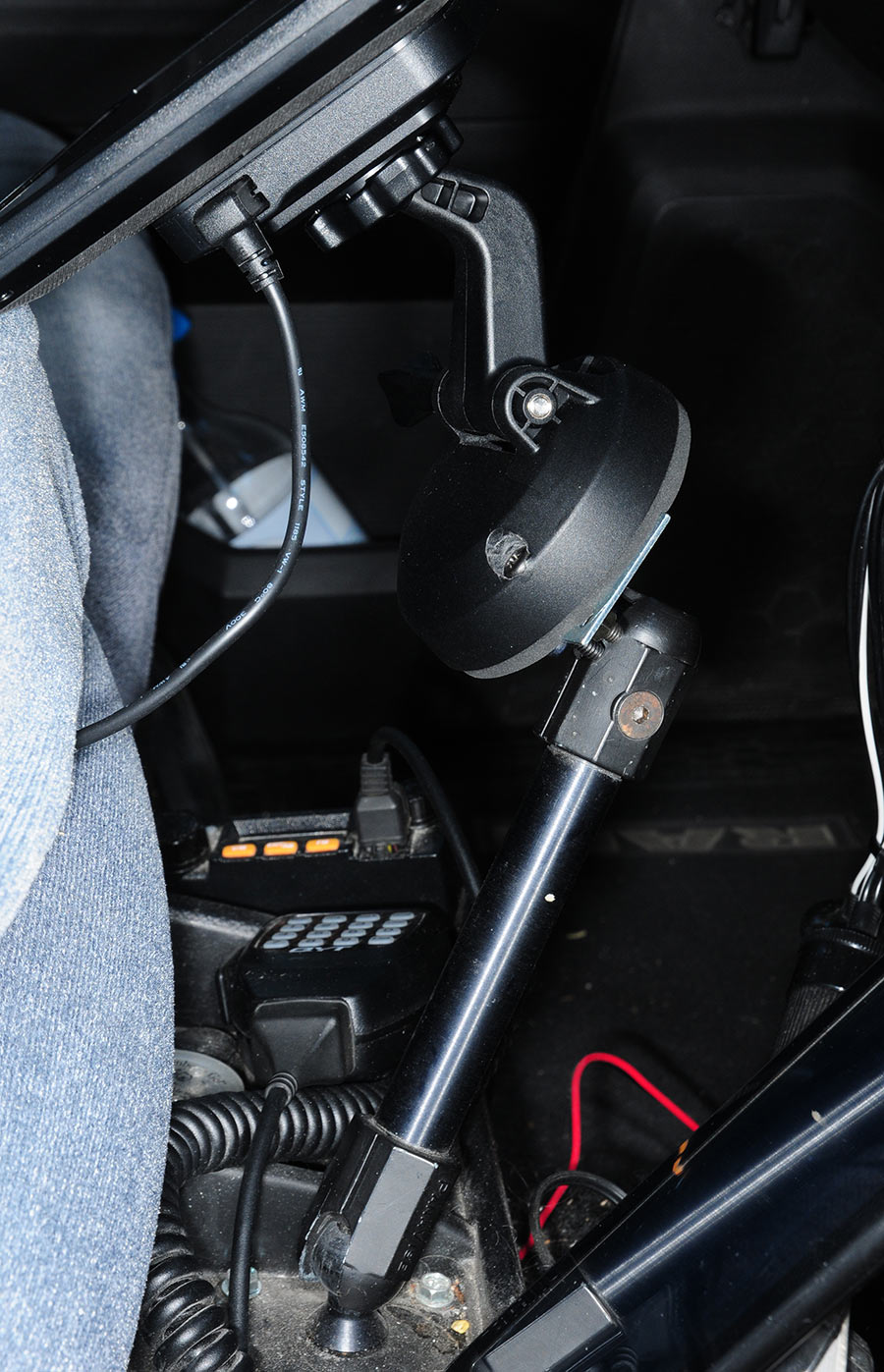
For the test installation, the dash bracket was bolted to an aftermarket articulating arm mounted to the floorboard in the truck cab. It allowed the screen to be positioned for good driver ergonomics and visibility. Unwanted screen movement while on the road was mitigated by resting a portion of the screen on the truck’s center console. Plan on some customization when using aftermarket brackets.
Adding to the convenience factor is the ability to monitor a wireless backup camera and connect a dashcam to the screen base. A data storage card can also be pushed into the screen base. The backup camera (BC 35; $169.99) is suitable for trailers and fifth-wheels, as long as the transmitter can be placed within 45 feet of the GPS screen. Owners can also choose from one of the diminutive dash cam models offered on the company’s website; prices start at $129.99 for the mini model.
Having a co-pilot that doesn’t argue is a beautiful thing. Big screens in vehicles are all the rage these days and owners without this feature can opt for the Garmin RV 1090 and enjoy similar visibility and ergonomics. RV- specific information and routing makes this navigational device even sweeter.